Teacher Appreciation
Give them their evenings back.They wake up to a graded stack.
For the teacher or professor still grading at the kitchen table. They photograph or upload the stack, set it running, and go live their evening. By morning, every student has a draft grade against their own rubric or answer key, waiting for their review.
A year of Instant Grader: $144.
3,600 credits, enough to grade up to 3,600 pages. Paid once, nothing renews, and it’s refundable until it’s opened.



Photos show a sample teacher.
Instant Grader
Wake up to a graded stack.
Exams, essays, lab reports, problem sets. The pile that used to take the evening gets a first pass while they’re at dinner.

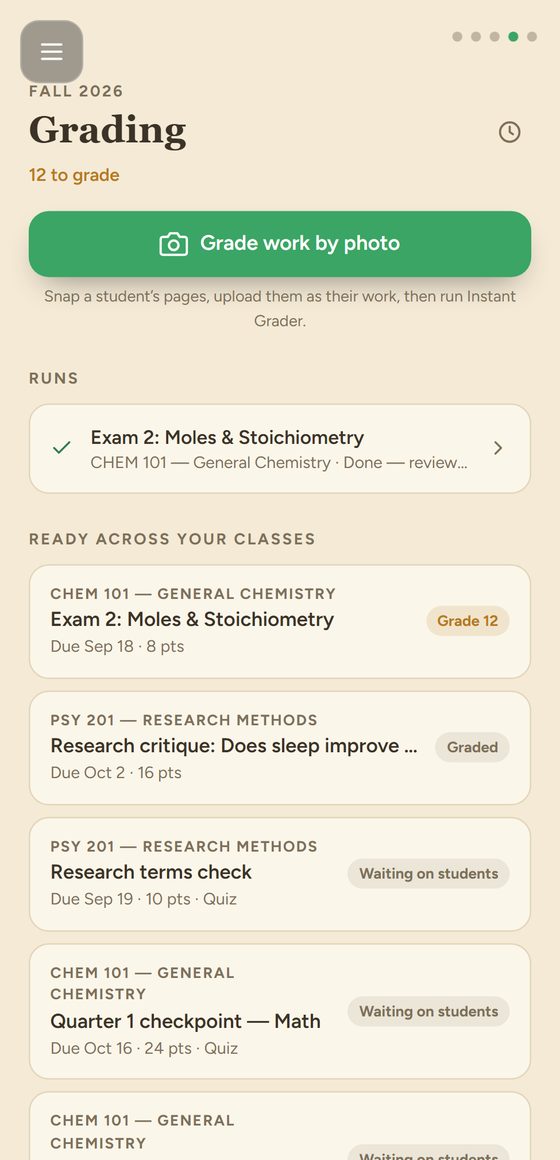
from their phone
- Bring in the stack. Photograph handwritten pages with a phone, or upload typed files.
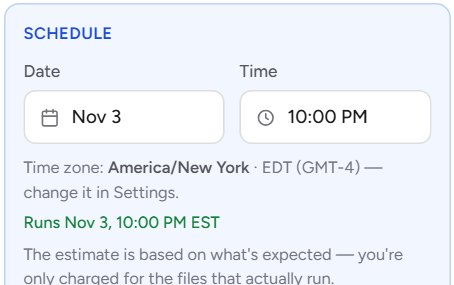
- Press Run, or schedule it. Tonight at ten, or the moment the work is due.
- Close the laptop. It runs on its own. They go live their evening.
- Wake up to drafts. A grade and feedback for every student, ready to review.
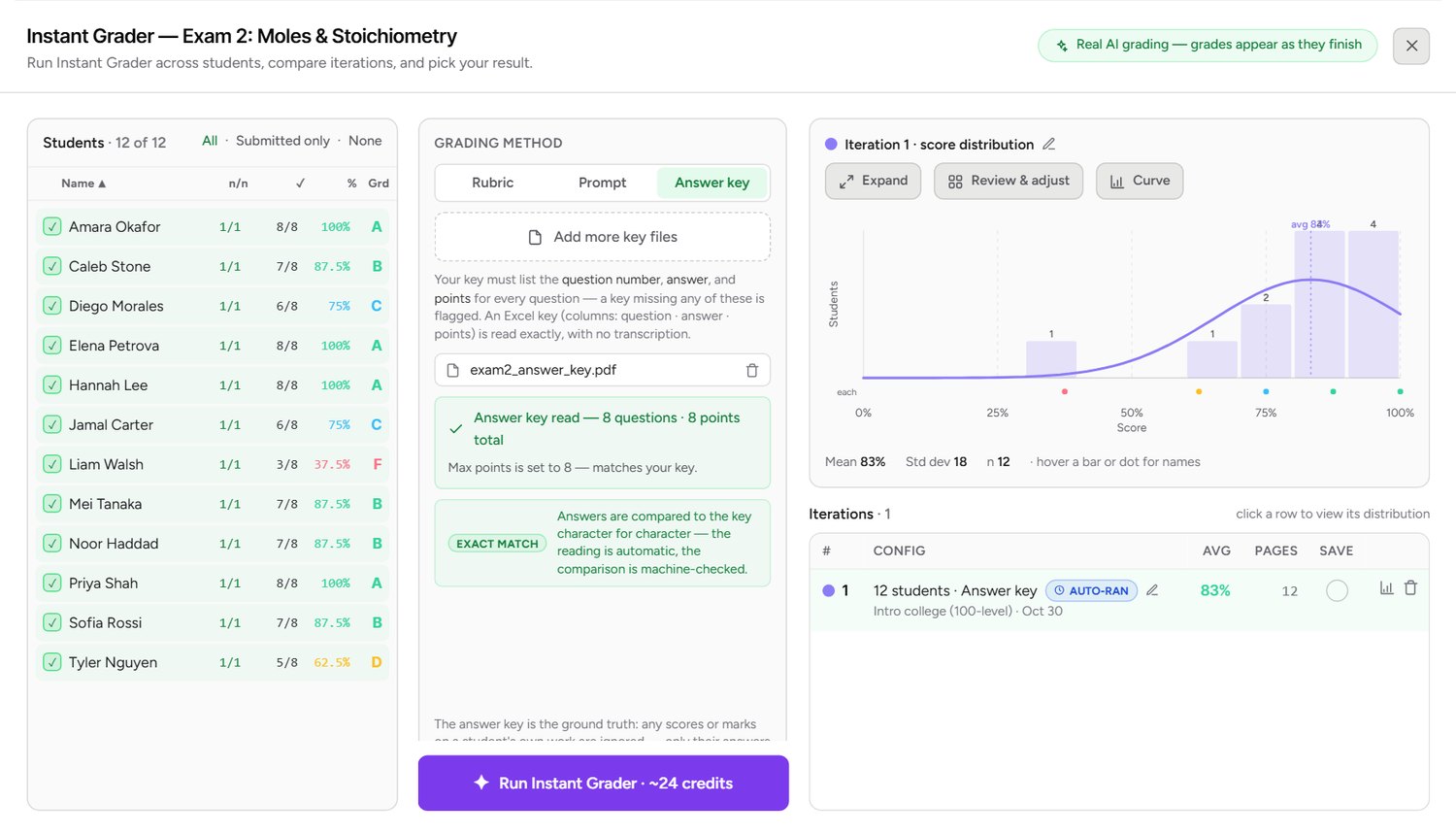
We timed it
A whole class in seconds.
12 seconds
12 handwritten chemistry exams, read and marked against the answer key.
14 seconds
6 typed research critiques, graded against a four-part rubric.
Timed on one sample class, first paper to last. Bigger classes and longer papers take longer.
They stay the teacher
Every grade stays theirs.
The AI drafts. They review, adjust and release.
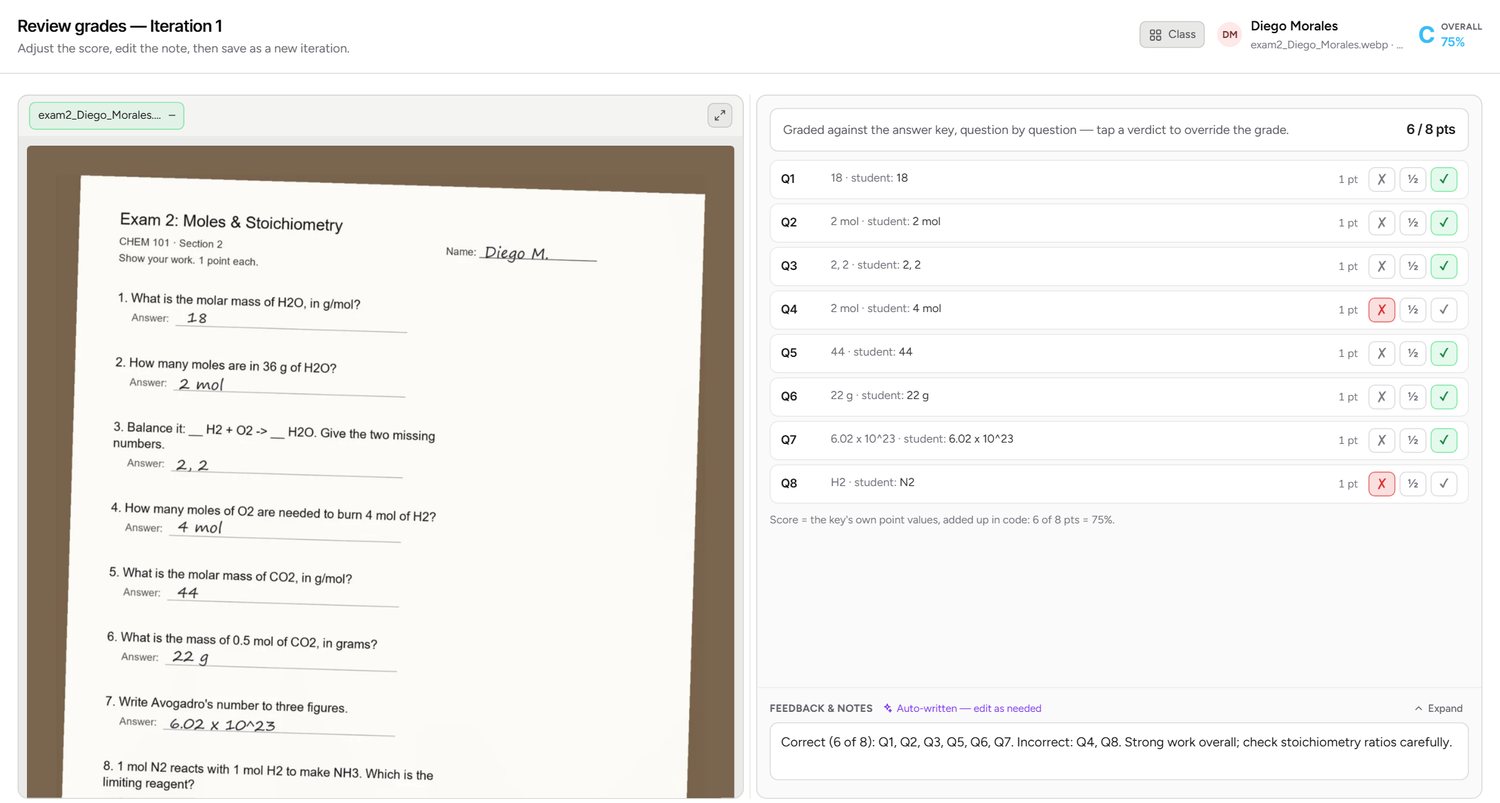
Handwriting, beside every verdict
The student’s own page sits next to each answer. One tap changes any of them.
Their answer key
Marked against the key they uploaded, with the points added up exactly.
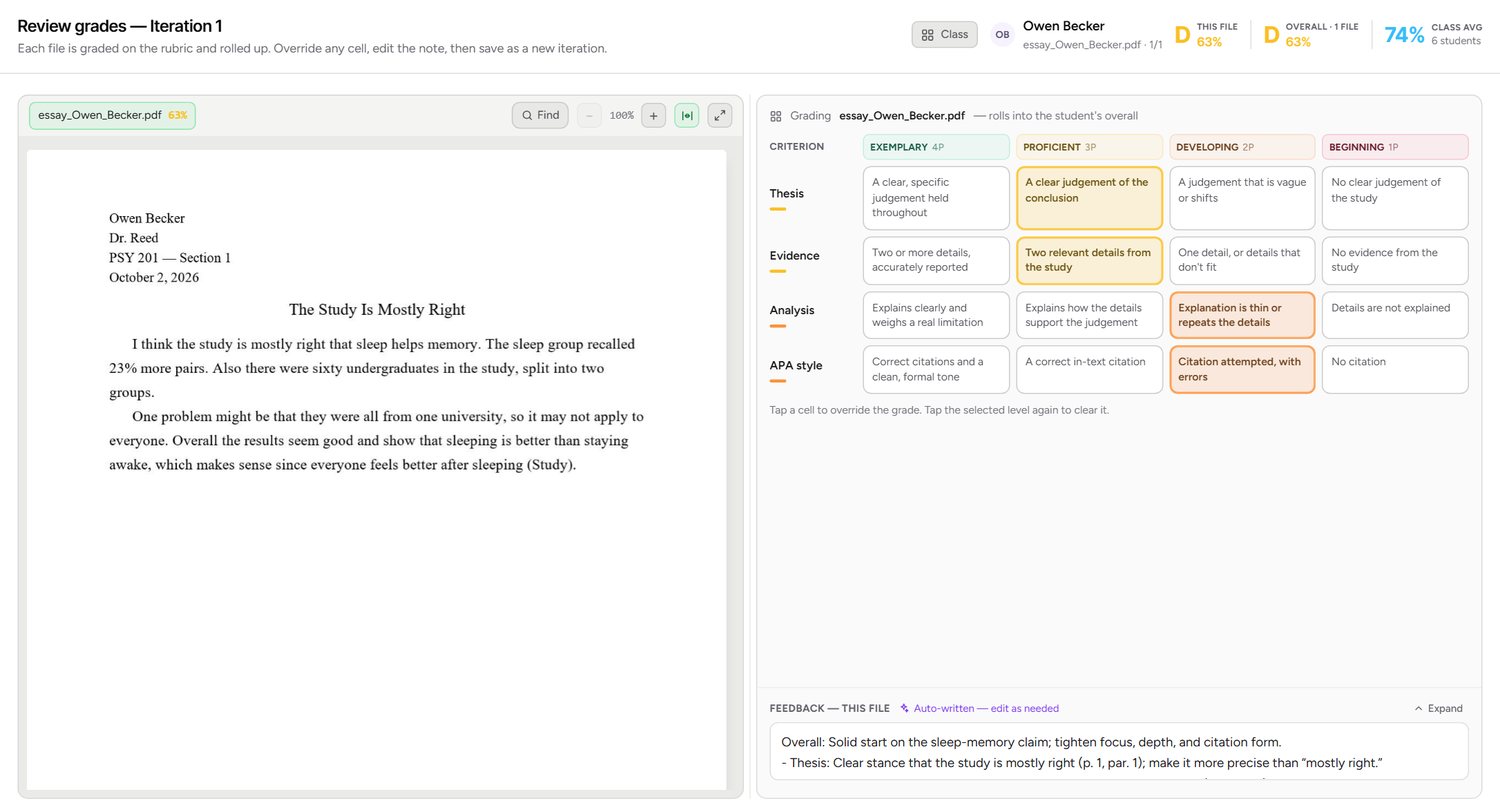
Their rubric
Their criteria, their levels, their points. Tap a cell to override it.
Feedback they can edit
Written for each student, ready to change. On typed work, annotations highlight it on the student’s own pages.
Curve it, then release it
A curve never overwrites the original, and nothing reaches a student until they say so.


More time for the student in front of them.
From a seminar to a lecture hall
The same rubric on the first paper and the last.
Rubric Repeatability
An RR% score shows how consistently a rubric grades the same work, and where its wording wavers, before they rely on it.
Every run is kept
They can compare runs side by side. A change or a curve is a new version, and the original stays.
Works with their LMS
Bring in a Canvas submissions ZIP, and take a course out as a cartridge for Canvas or another LMS.
Blind mode
Hides student names while they grade.
RR% measures consistency, not accuracy.
The rest of the job
Every grade in one place.
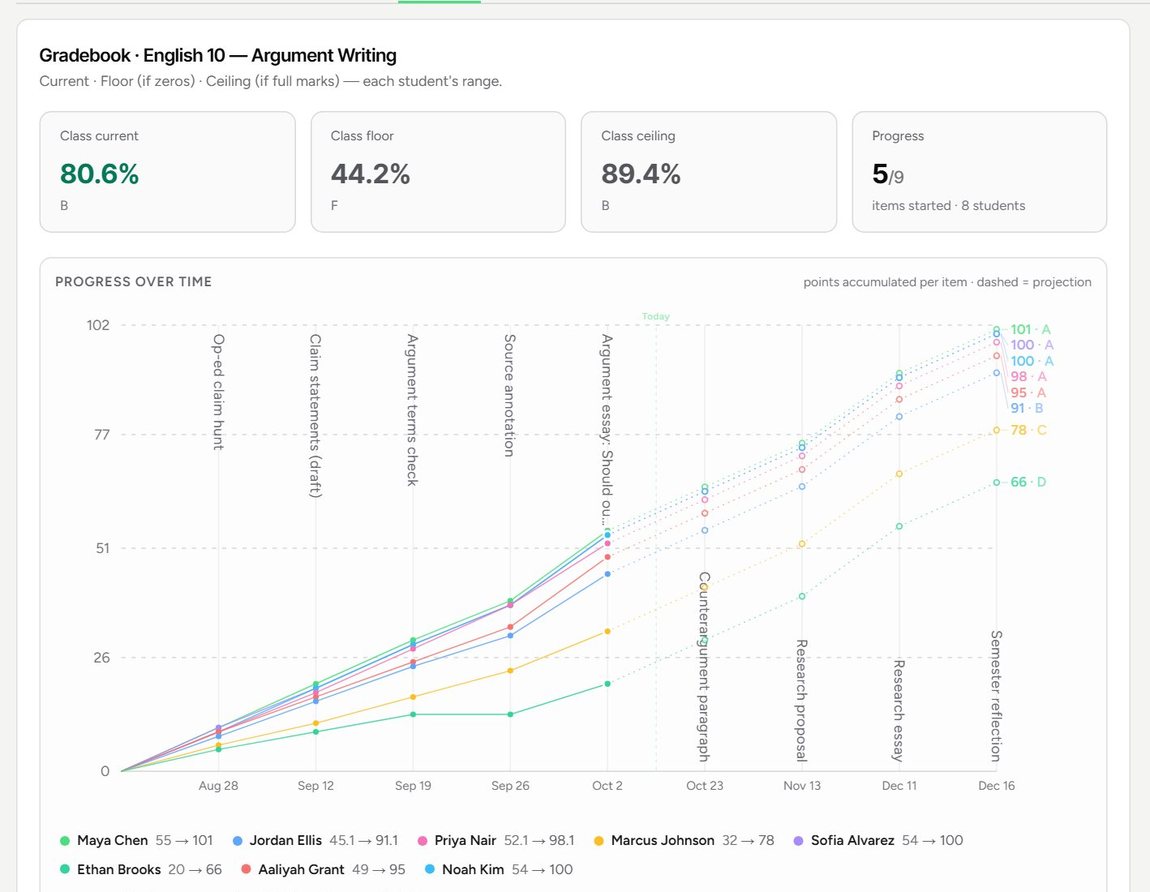
Gradebook and report cards
Each student’s current grade, their floor and ceiling, and where they’re headed, with PDF report cards.
Any course, any grade
Plan by the month, week or day, build pages, quizzes and worksheets on demand, or start from 900+ ready-made K–12 lessons.
Class Profiles
Teaching memory for each class that outlives the school year, with no student names in it.


For the ones who take it home
They stayed late so someone’s work could come back with a note in the margin. They’ve read the same assignment a hundred times and still found something true to say on the last one.
This year, let the stack wait for them, instead of the other way round. It all starts with your thank-you.
Four steps to a free evening
One thank-you. One scan. Their evenings back.
- Choose the gift and add your message.
- Email it to them, or print a card.
- They open it with one scan. No card to enter, and their year starts that day.
- They bring in the stack, and take back the evening.
Student work stays private
Student work lives in their own account, in the U.S., and never trains anyone’s AI. When the AI grades it, it runs on a zero-data-retention model: the provider answers, then forgets it. Class Profiles keep their teaching memory with no student names in it.
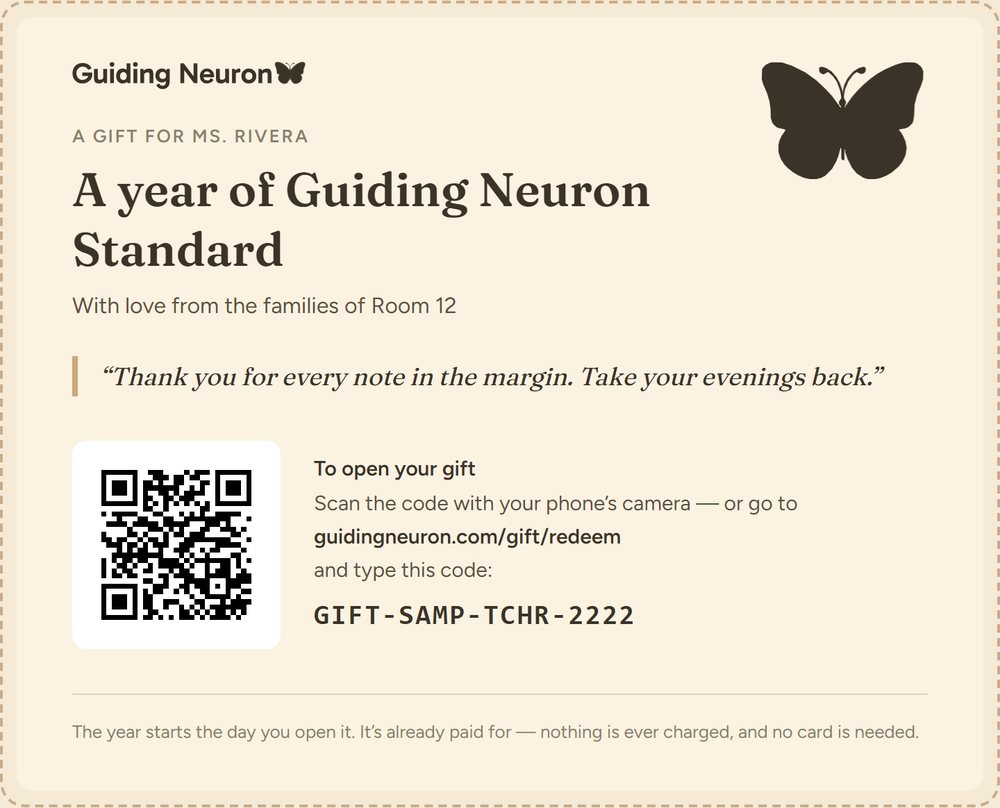
Something to hold
Print a card and tuck it in with a thank-you note.
From the whole class?
The from line is yours: “the families of Room 12” works.
Screens show sample classes. Photos and the card are samples too.
Say thank you
Give them their evenings back.
Choose the gift and add your message, then email it to them or print a card.
Questions people ask
When does their year start?
The day they open it, not the day you buy it, so they can save it for the start of a term and not a month is lost.
Which gift should I choose?
Standard is the one we'd give: 3,600 credits, enough to grade up to 3,600 pages. Pro doubles that to 7,200. Basic is the whole teaching toolkit by hand, with no AI credits, so Instant Grader needs credits they add.
Is it for professors as well as classroom teachers?
Yes. It grades to their rubric or answer key at any level, from elementary classes to graduate seminars, typed papers and handwritten exams alike.
Does the AI decide the grades?
No. Every grade is a draft until they say otherwise. They review it, change anything they like, and release it. Nothing reaches a student before that.
Does it read handwriting?
Yes. They photograph each student's pages, and it reads them against the key or rubric. They see the student's own page beside every verdict, so they can check it and change it.
How far do the credits go?
One credit grades one page on the standard grading model. Other models and extras, such as annotations, cost more, and the same credits also pay for the other AI tools.
Do they need a card?
No. It's already paid for, and nothing renews. If they'd like to carry on after the year, they choose a plan themselves.
What if they already use Guiding Neuron?
Your gift adds a year after the time they've already paid for, and their own plan picks up again after it.
Can I change my mind?
Yes, until it's opened. Reply to the email you got and we'll refund it, and the code then stops working. Once it's opened it isn't refundable.