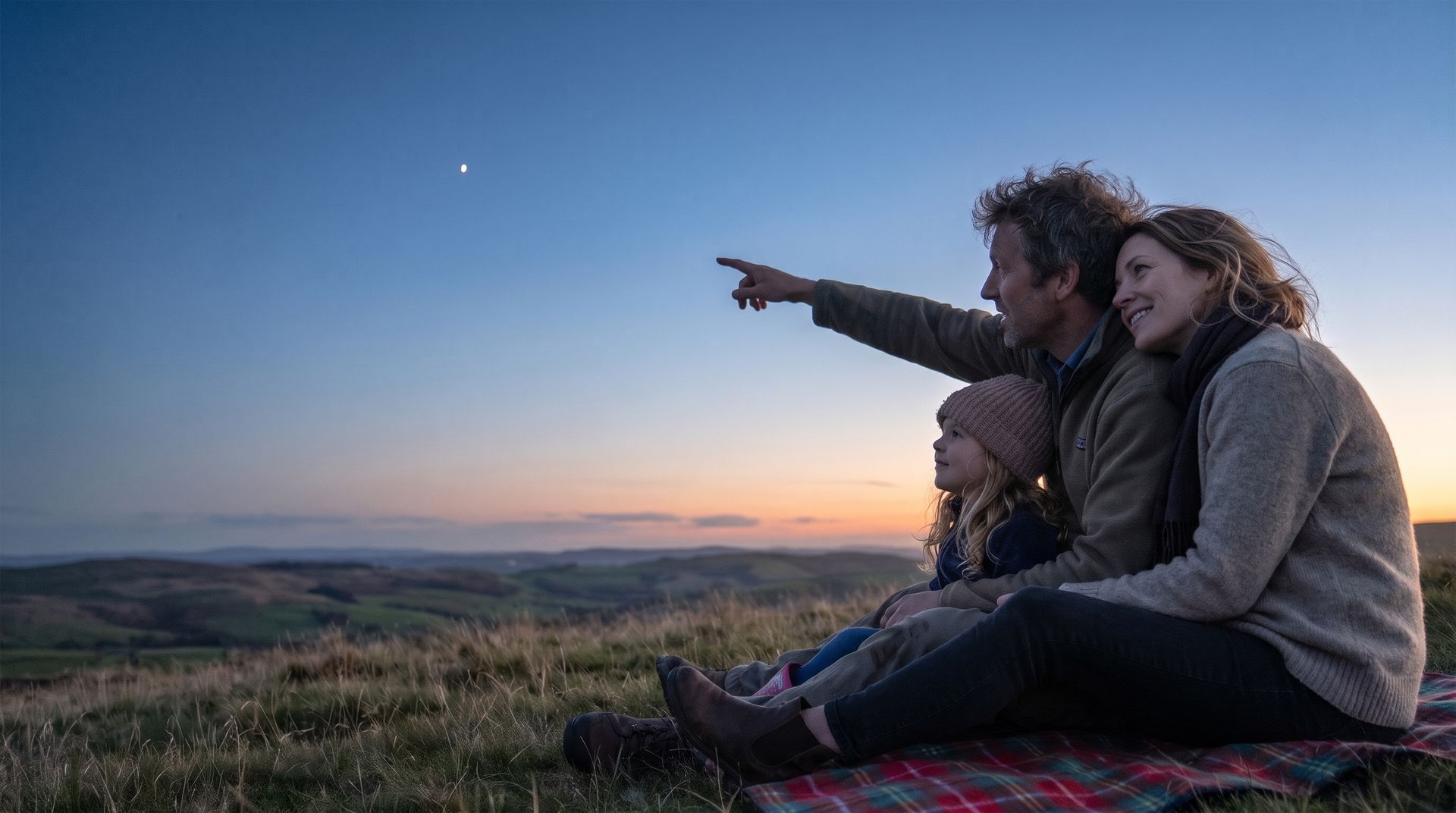
An AI toolkit for parents & educators
Guide them to their north star.
One toolkit for everyone who lights the way — the parent at the kitchen table, the family that teaches at home, and the teacher at the front of the class. Whatever you call the work, it all heads the same direction.
For parents
They’re only this little for a moment.
Keep every first in a baby book that fills itself in. Snap a photo and a line from your phone, and it’s kept in their Memory Book, month by month, all the way to 18.
For homeschool families
Teach your way. We’ll keep the records.
Run it like a school day or follow their curiosity. A photo and a line from your phone is filed by child, date and subject, and when the evaluation, the ESA or the co-op asks, the portfolio and the expense report are already there.
For teachers & professors
Take your evenings back.
Wake up to a graded stack. Photograph or upload the work, set it running, and go live your evening. By morning, every student has a draft grade against your own rubric or answer key, waiting for your review.
Which story is yours?
One toolkit. Three ways in.
From your phone
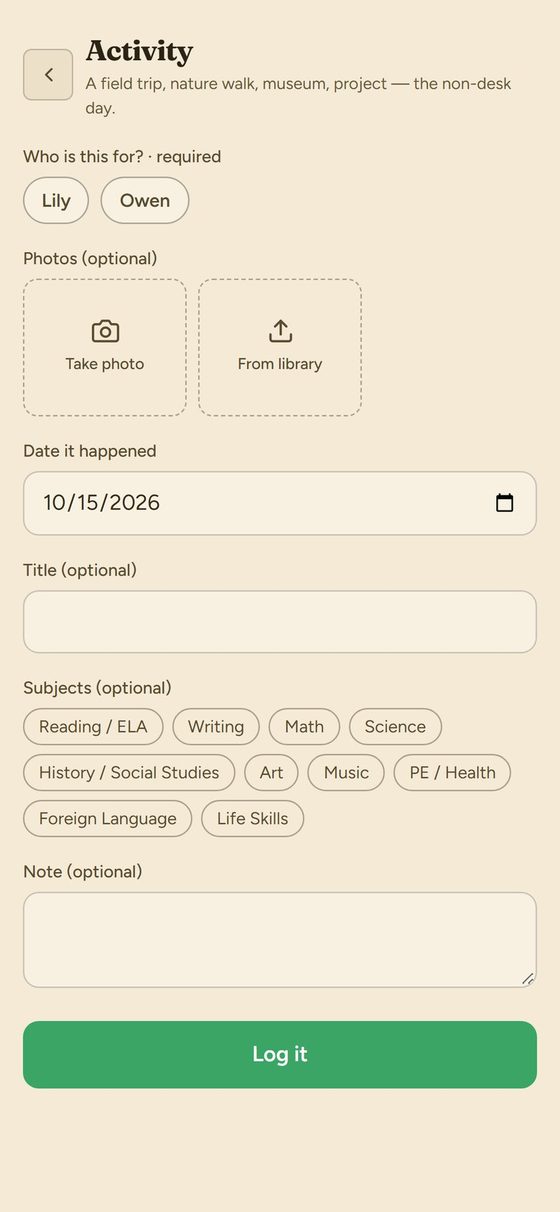
A photo and a line, in seconds.
Log it while the moment is still warm. A line is enough, and there’s no Sunday night catching up.

what you see
No app store
Add it to your phone’s home screen, tap + Log Activities, and you’re done.
It files itself
By date and child. A moment, a book, a trip or a first: one log, in the right place.
Log once for several children
Handy for a family day out, or a book shared by a brother and sister.
Grandma can log the museum trip
Invite a co-parent or grandparent to add what they see, too.
The Memory Book
Every small day, kept.
Month by month, with their age
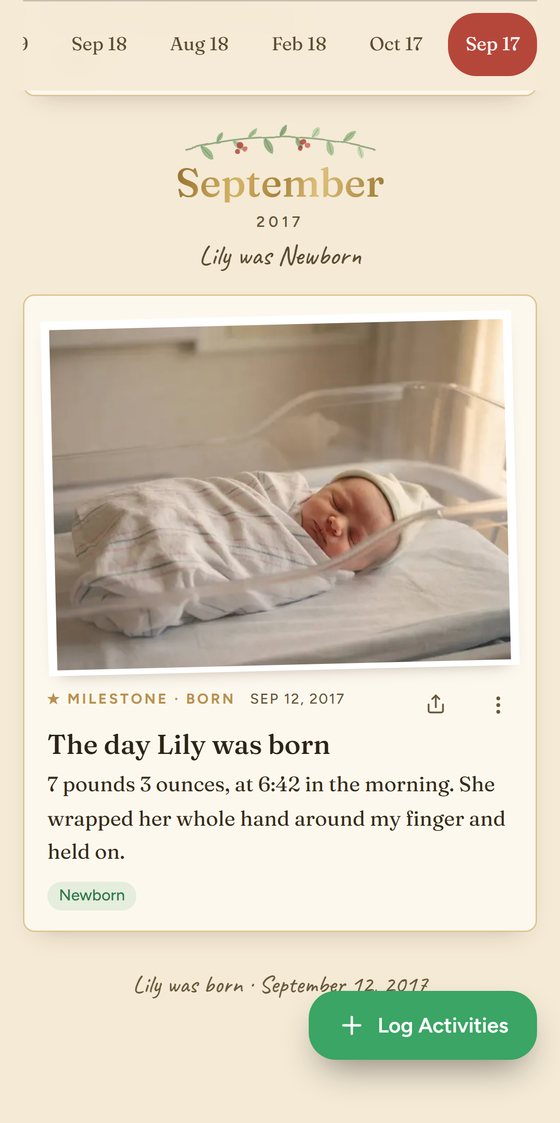
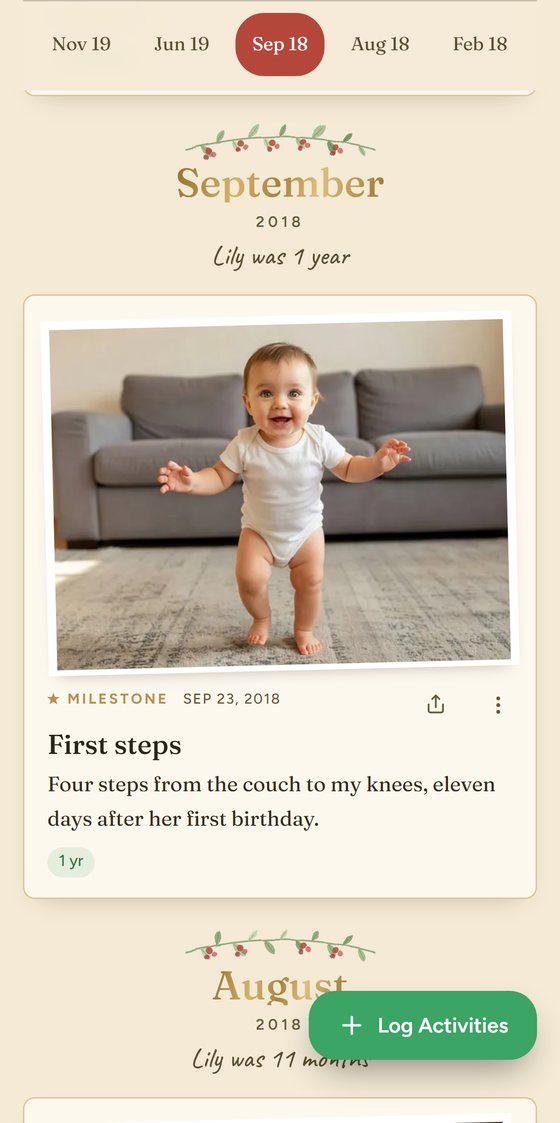
Every memory lands in its month, marked Newborn, 1 year, 9 years, 16: a scrapbook of their whole childhood that you never had to sit down and make.
You star the firsts
When your words sound like a first, the book asks if it’s a milestone. You decide.
“Something they said”
The funny things they say, kept word for word.
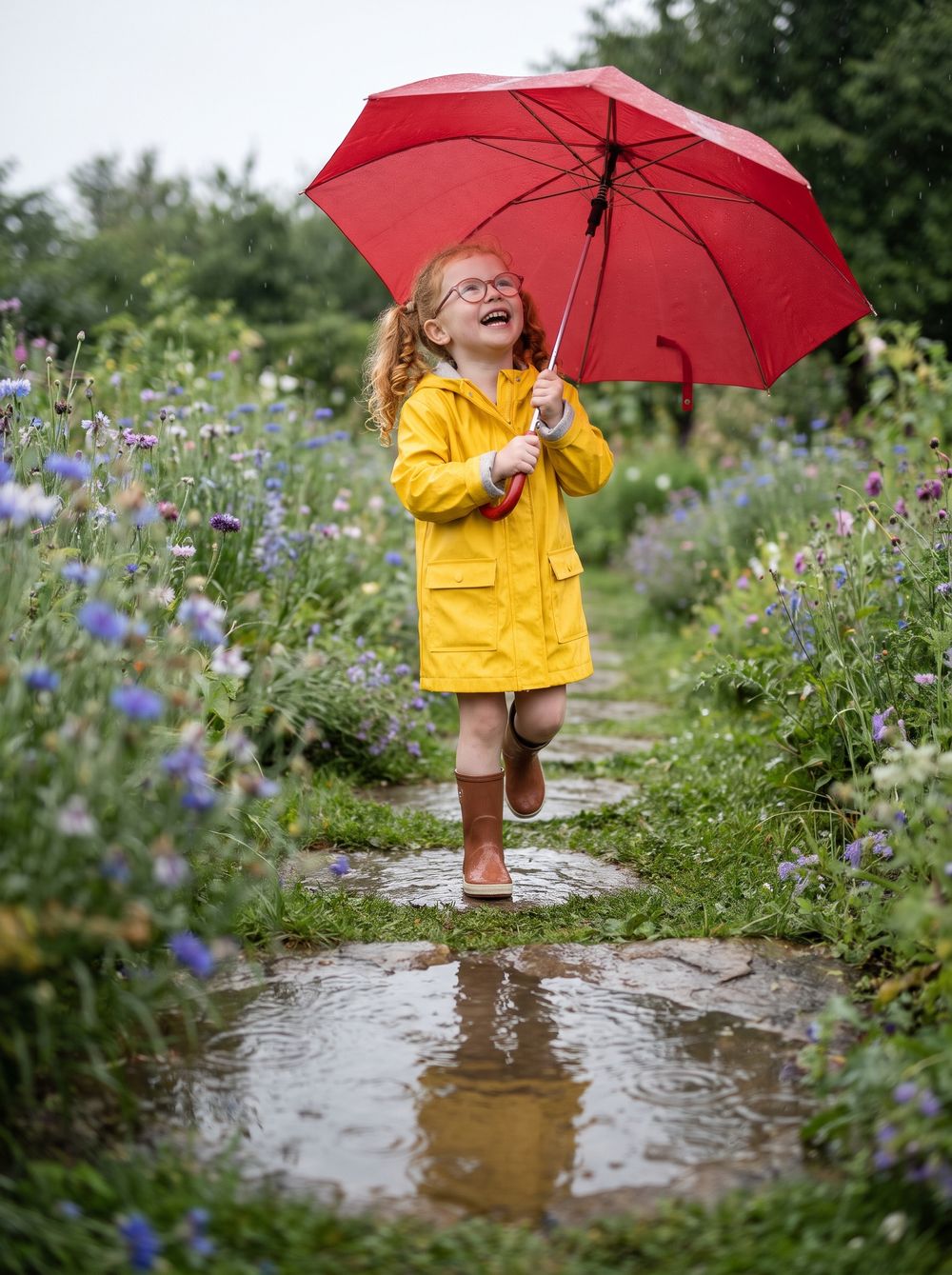
the walk in the rain

the first big step
Capture the firsts from the phone in your pocket: the first steps, the first bicycle, the first time the shoes get tied without help.

printed wherever you like
We don’t print or ship books; you choose the printer. Printed book pictured is a rendering.
Export as a book
From your phone to the bookshelf.
A real book, laid out for you
A cover, a dedication in your words, and a chapter for every month.
A print-ready PDF
Square or page size, for any print shop or photo-book service.
Send Grandma the moment
One moment becomes one picture, with the photo, the words, the date and their age.

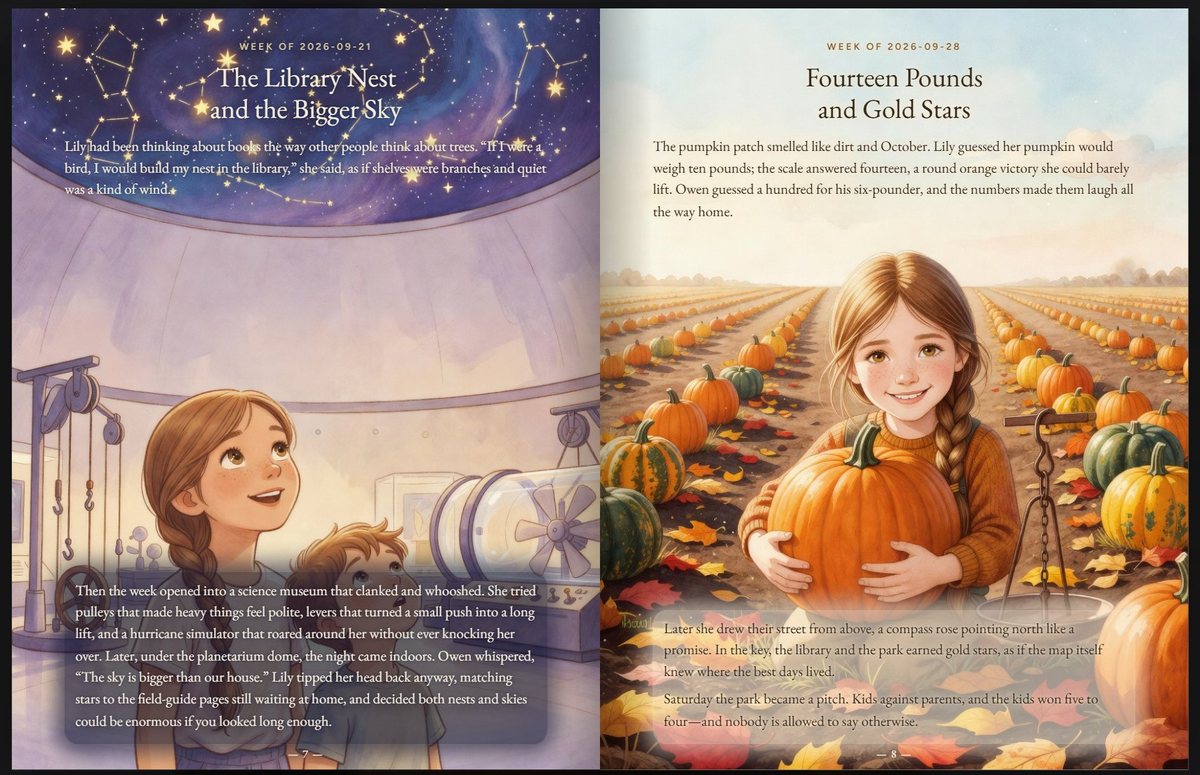
Their story
A storybook starring your child.
A page every week
Written from what you logged, painted with your child in the pictures, and their own words quoted. Included with Standard and Pro.
Or write your own
A picture book about anything: your family, your town, a lesson. Write it yourself, or let ✦ Auto draft a page or a chapter.
Storybook stories are AI-written from your logs. Check the facts, and paint a picture again if it isn’t right.
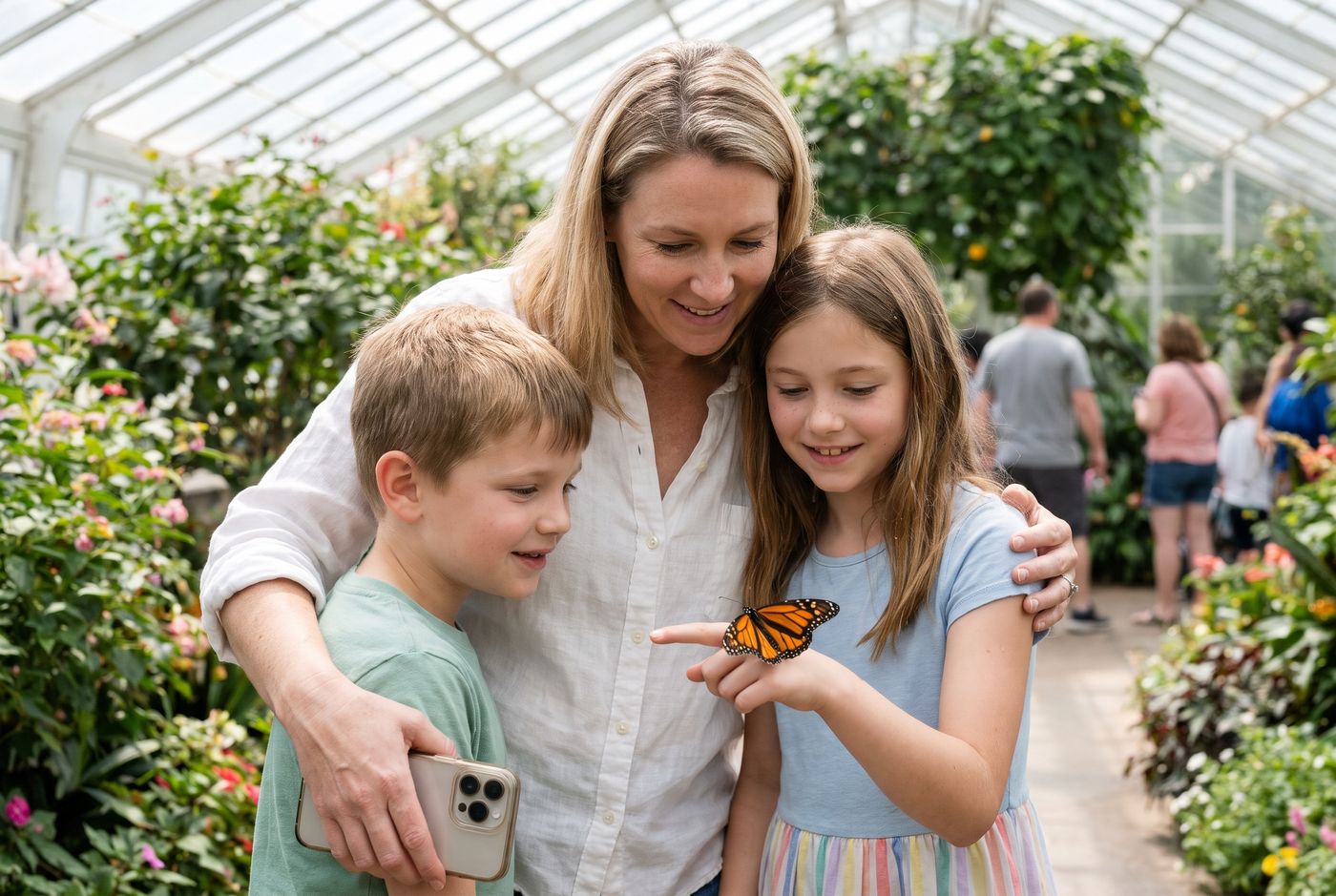
Weekends & adventures
Make it. Go see it.
100+ timeless classic builds
One a month, Kindergarten to Grade 10: the story behind each build, then a picture for every step.
Field trips + Snap an idea
Send a photo of any flyer and it becomes a trip idea. Plan the day, go, and come home with the memory already kept.
Books Library & My Bookshelf
40+ painted picture books for ages 1 to 10, and a shelf for every book they read.
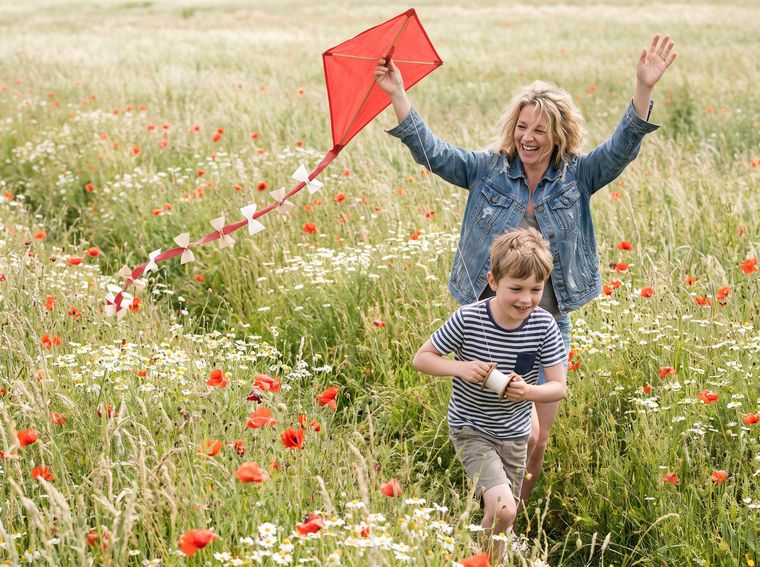

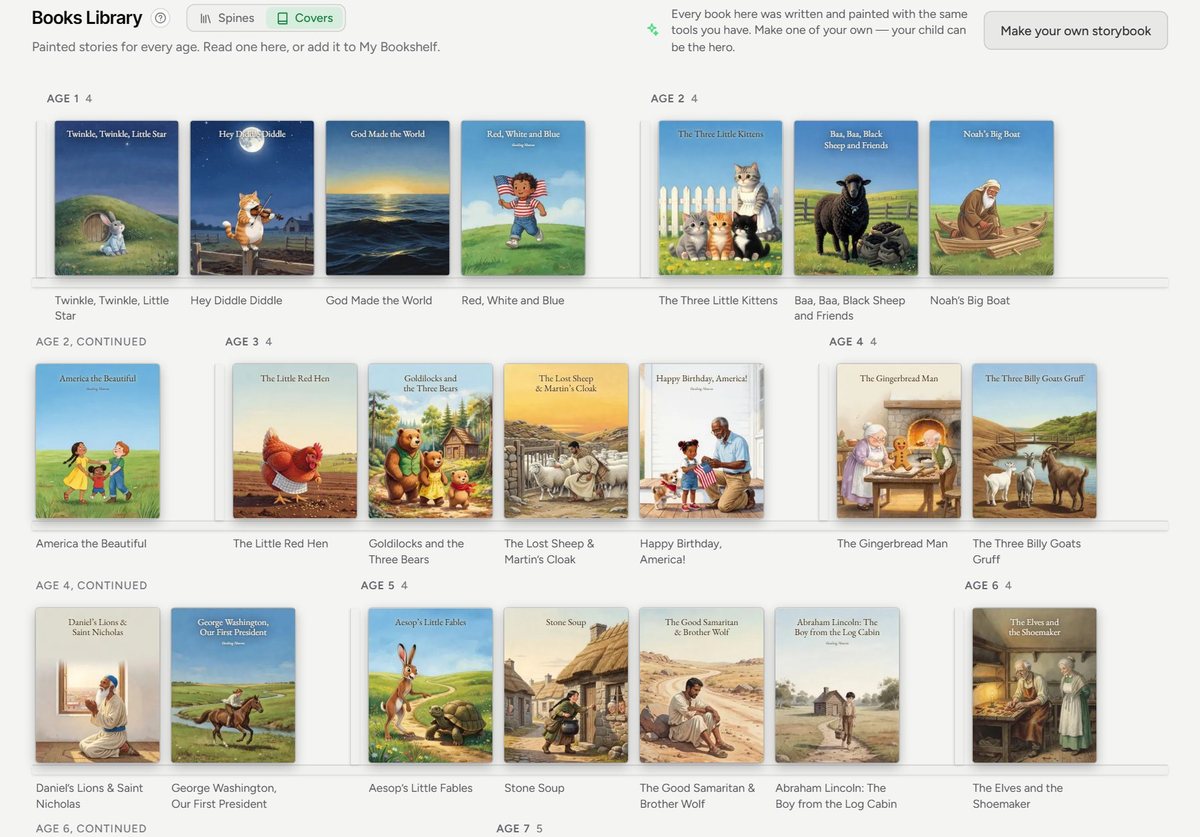
Lessons and library books are written and illustrated with AI, then reviewed before they’re published.
Coach their path
Point them at their north star.
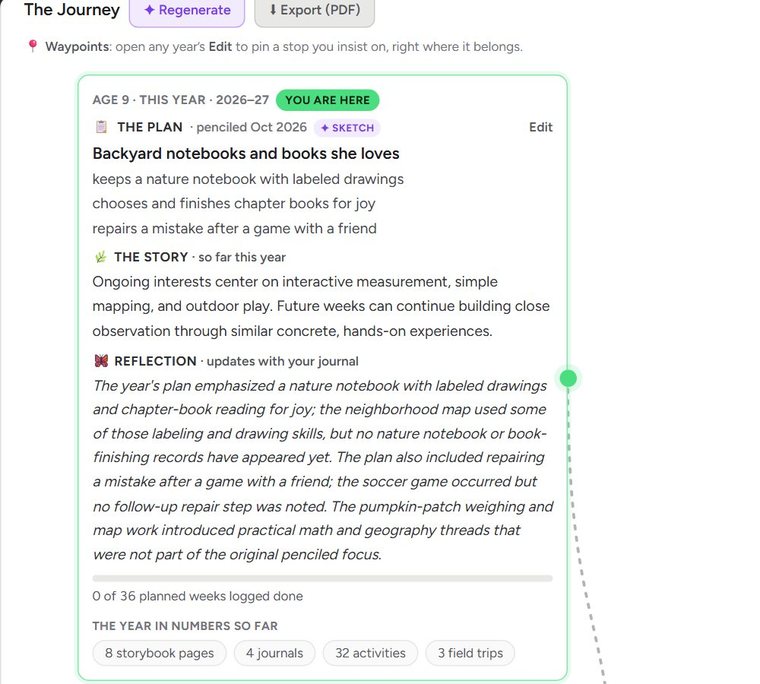
North Star + Journey Map
Your goal for each child, drawn as a map: ink behind them, pencil ahead, and you are here. Included with Standard and Pro.
Their school stays their school. This is the rest of their life.
Screens and photos show a sample family.
From your phone
A photo and a line. The records keep themselves.
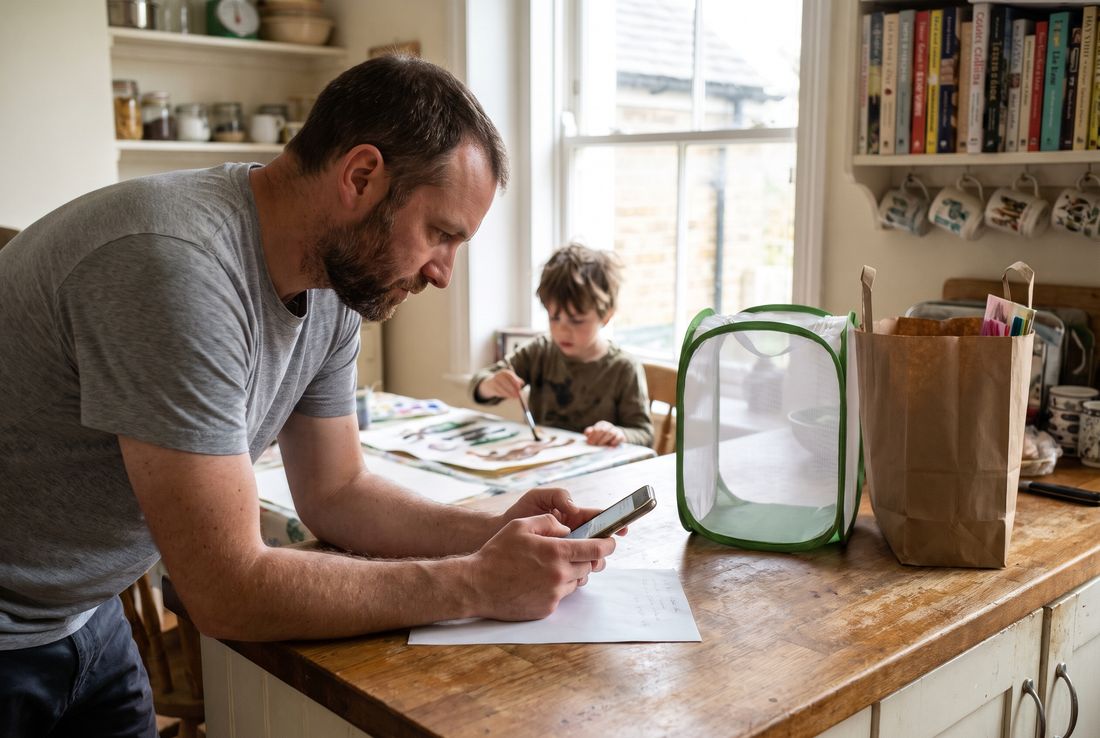
No shoebox of receipts, no Sunday night catching up. Log it while it’s happening, and go back to the lesson.
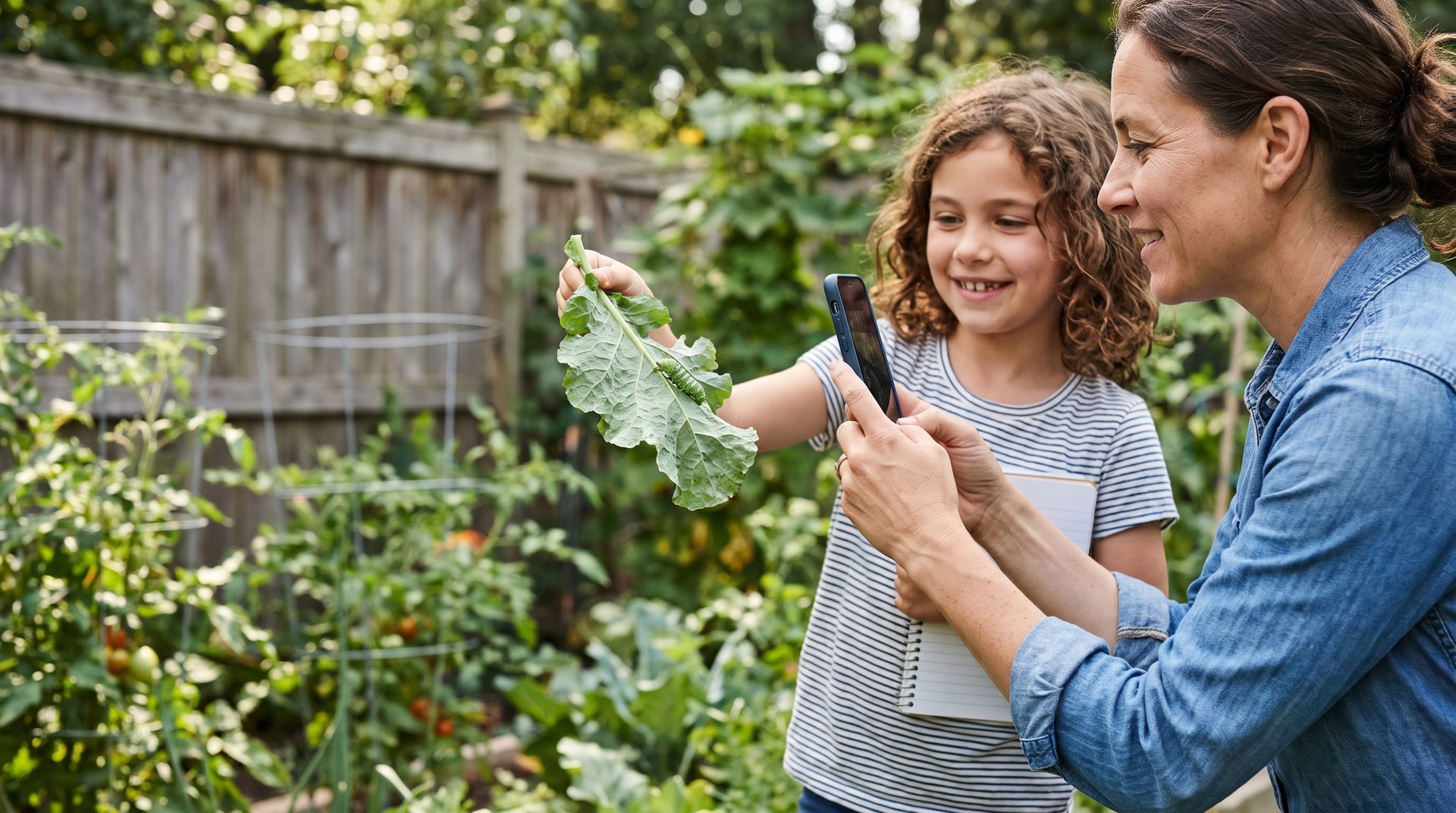
what you see
A few seconds, from your phone
Tap + Log Activities, add a photo and a line. A line is enough, and there’s no app store: it goes on your home screen.
It files itself
By child, date and subject. A work sample, a book, a field trip or a receipt: one log, in the right place.
Log once for several children
Handy for a museum trip, or a book shared by a brother and sister.
Grandma can log the museum trip
A co-parent or grandparent can add what they see, too.
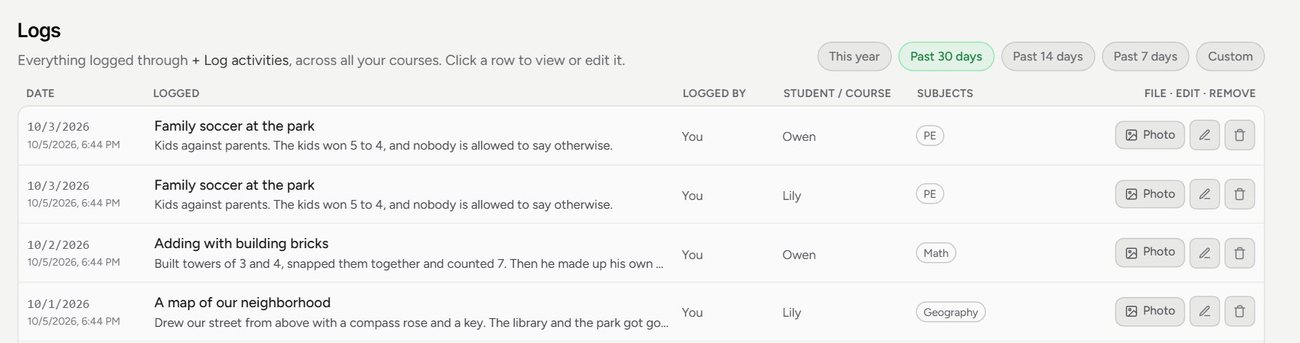
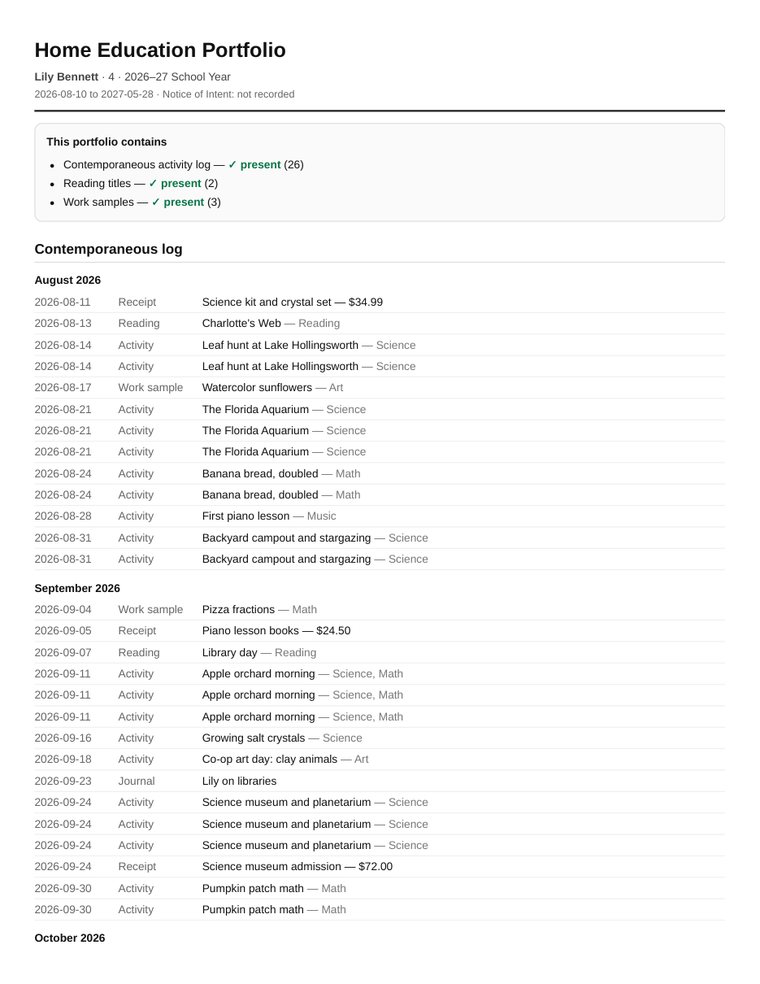
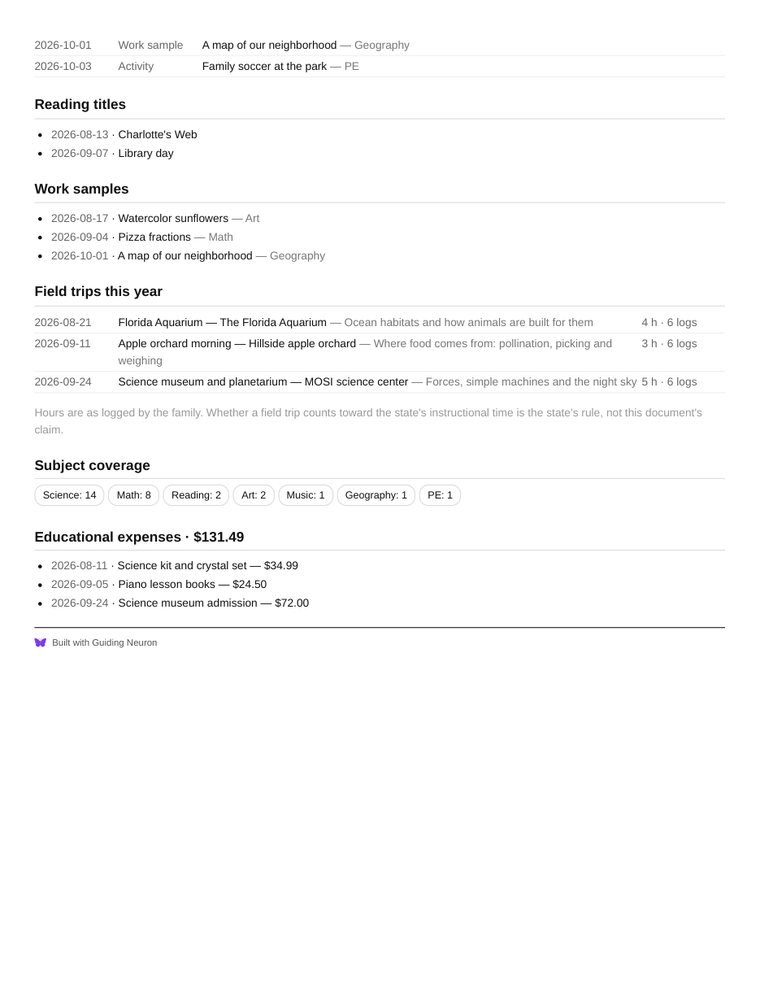
a real export, from a sample family’s year
Records that hold up
Walk in with a portfolio, not a shoebox.
While you teach, the record assembles itself: every page of work becomes a dated sample, every outing an entry, every book a title.
One click, the whole year
The daily log, reading, work samples, field trips and subject coverage, gathered into one PDF for your evaluation.
Or the year in full
A detailed portfolio has every log and work sample, with its photos.
Records are information, not legal advice: what your state or program requires is theirs to say.
The expense report
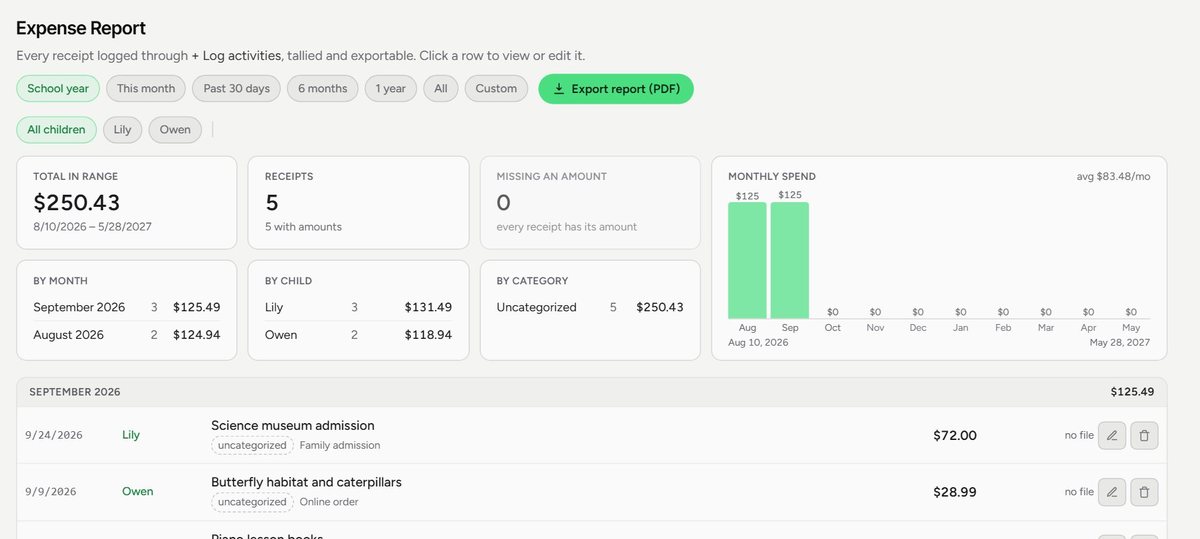
Snap the receipt. Get the report.
The report you get asked for
A photo, the amount, a category. Totals by month, by child and by category, exported for your ESA, charter program, co-op or tax folder.
Totals add up the amounts you type in; nothing is read off the photos. Your program decides what it accepts.
100+ classic builds
The builds everyone remembers.
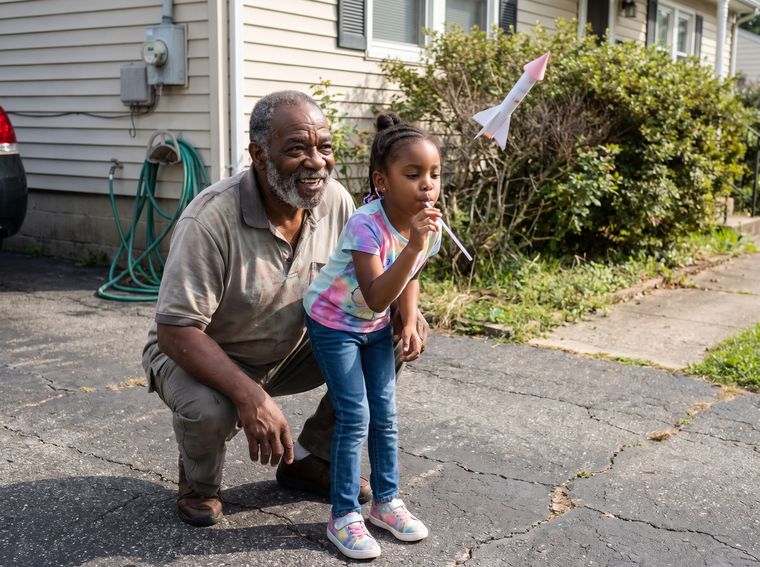
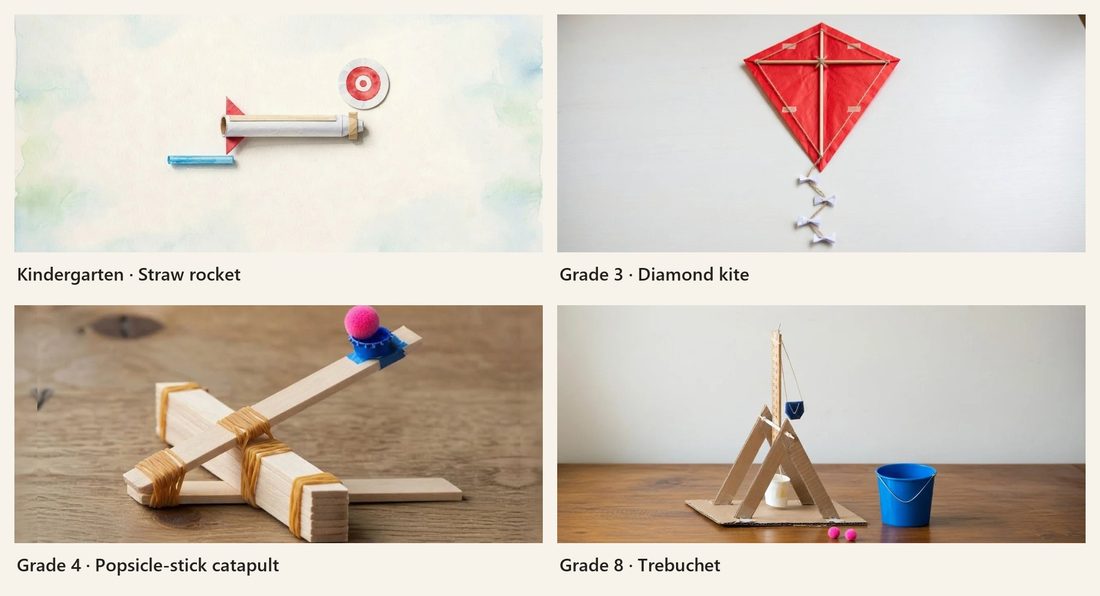
A straw rocket, a paper boat, a kite, a catapult, a trebuchet. One famous build a month, Kindergarten to Grade 10, ready to make at your kitchen table.
Why it's worth doing
Every build says where it comes from and what it teaches.
A picture for every step
And what to try when it doesn’t work.
Then it's on the record
Log the build with its photos, and it lands in the portfolio.
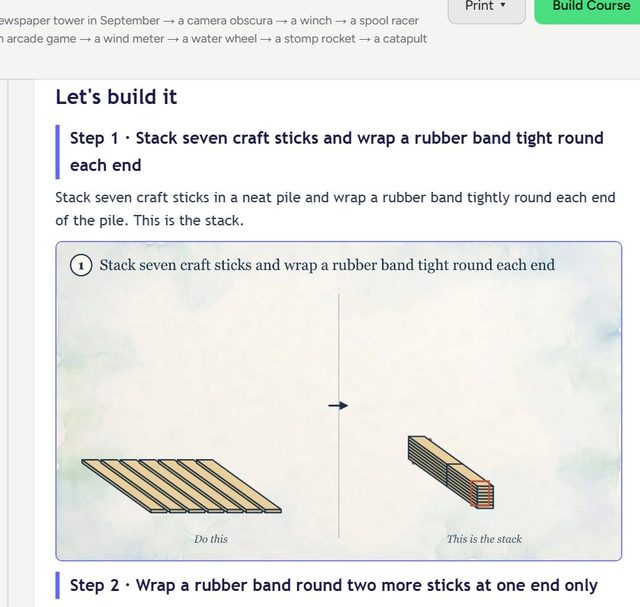
Lessons are written and illustrated with AI, then reviewed before they’re published.
A plan, when you want one
See the whole road, year by year.
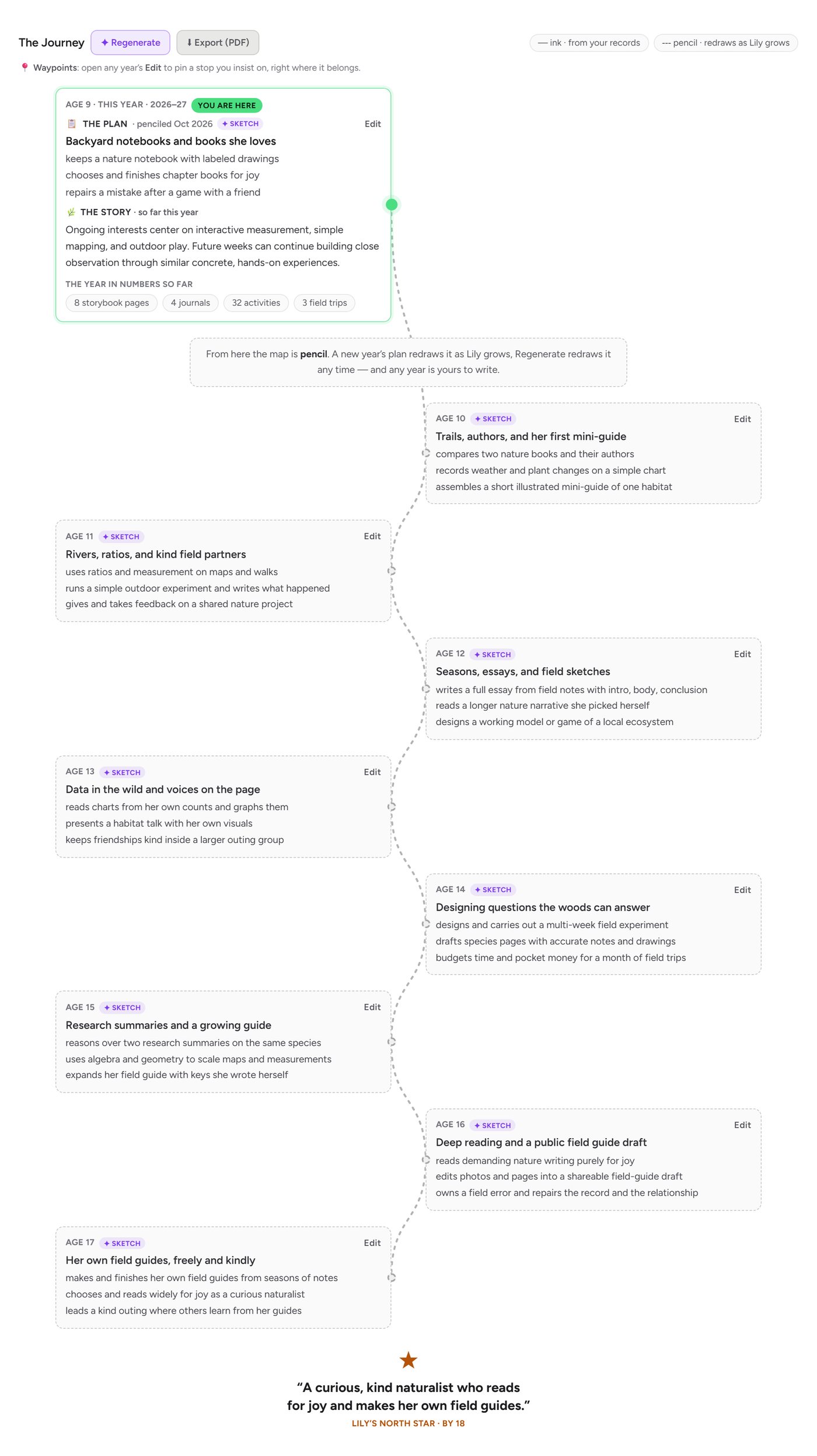
Write a few words about who you hope your child becomes. That’s their North Star, and the Journey Map pencils in every year from here to there, so you can see what this year is for.
Ink behind, pencil ahead
The years you’ve lived come from your own records. The years ahead stay in pencil and redraw as your child grows.
Your words stay
Edit any year, or pin a waypoint, a stop you insist on. No redraw touches what you wrote.
The plan beside the story
This year’s card keeps what you planned next to what’s really happening, from your journals.
A keepsake of the road
Export the whole map as a PDF.
The pencil years are an AI sketch, not a prediction. You can write and edit the map by hand on any plan; having it drawn uses credits, which Standard and Pro include.
every child gets their own road

Ages 6–10
Learning to read the world.
Each finished book shelved, and the reading list already a record for the year’s review.
Ages 11–13
Big questions, first experiments.
Each month opens one new door and builds the month’s real lessons for your review, drawn from the child’s own record.

Ages 14–17
Finding their focus.
Frame a high-schooler’s year as seriously as a school’s, whether that’s the ACT or SAT or the vocational school a real passion points them toward.
The year you’re in
This year, week by week.
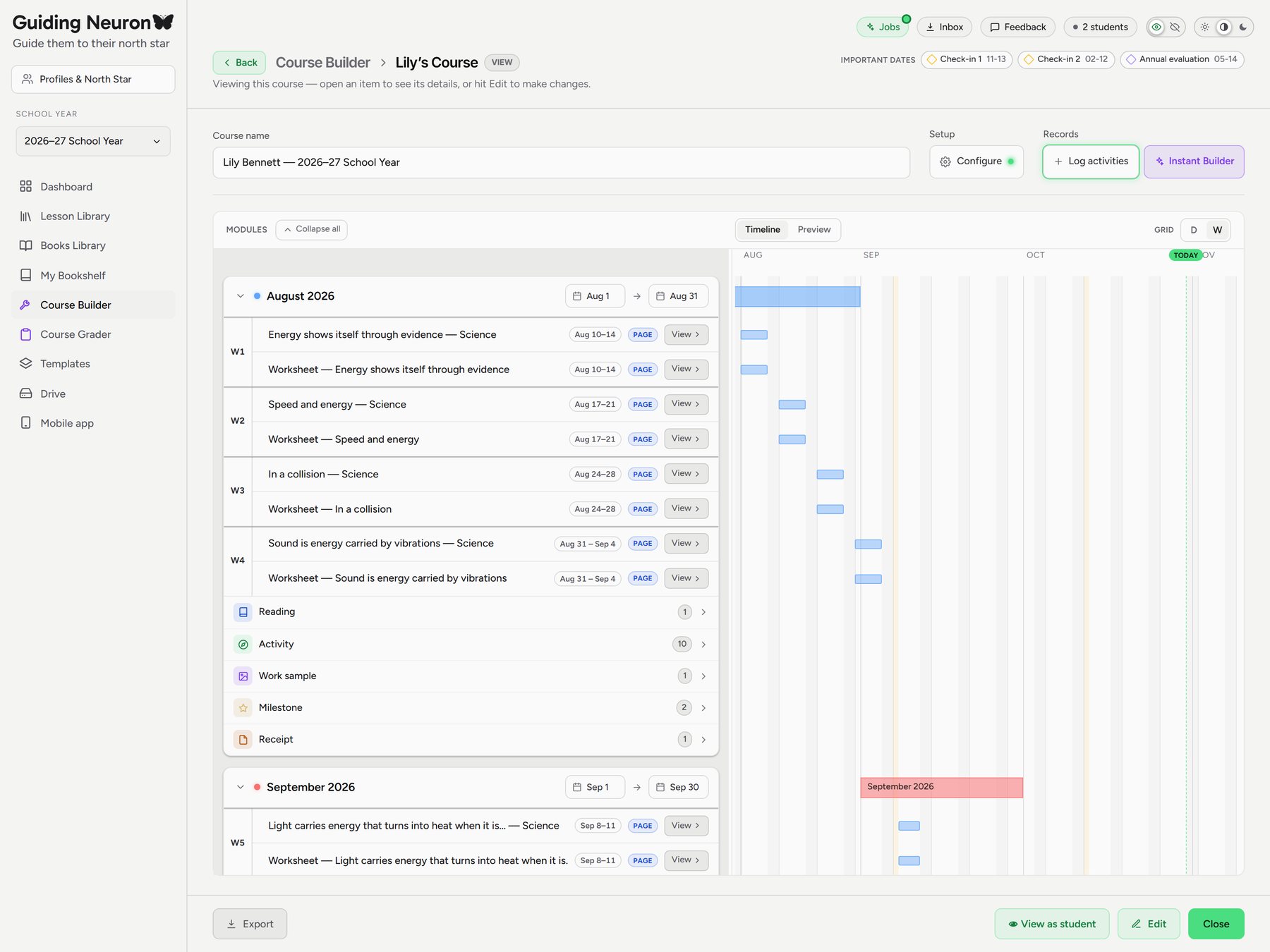
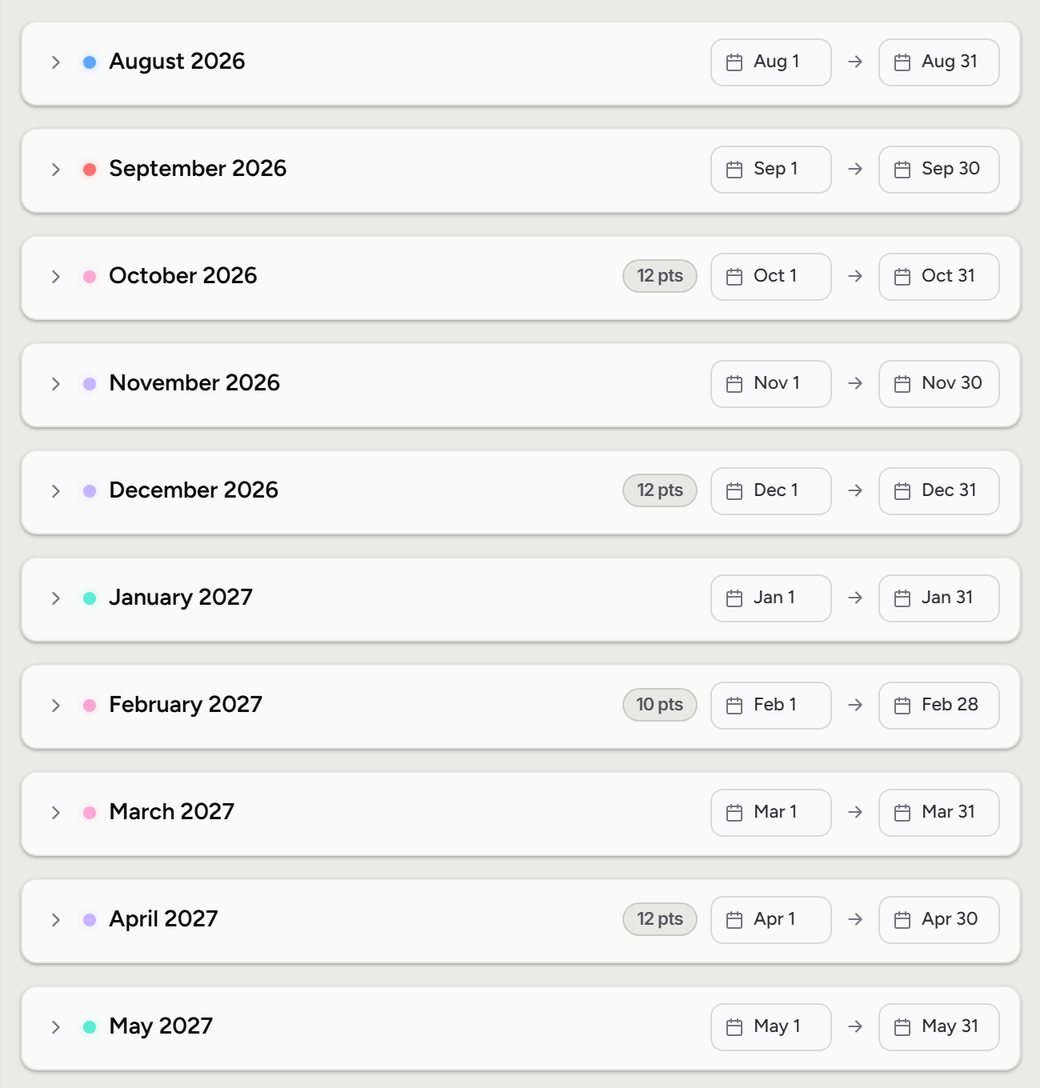
Each child has a course for the year: every month, every week and every lesson, with its dates, next to a timeline you can read at a glance.
By month, by week or by day
Go as fine as you like. A day plan uses only the days you teach.
Three ways to start
Add a course from the Lesson Library, upload a plan you already have, or describe the year and let AI draft it, then review every piece before it’s built.
When life drifts, re-plan
Pick a week, and the new plan continues from what your journal says really happened. Past pages stay exactly as they are.
Your important dates
Check-ins and the annual evaluation sit at the top of the year, with reminder e-mails.
Print the week
One printable bundle of that week’s pages, across every subject.
Plans and pages drafted by AI use credits, which come with Standard and Pro. On Basic you build by hand or add credits.
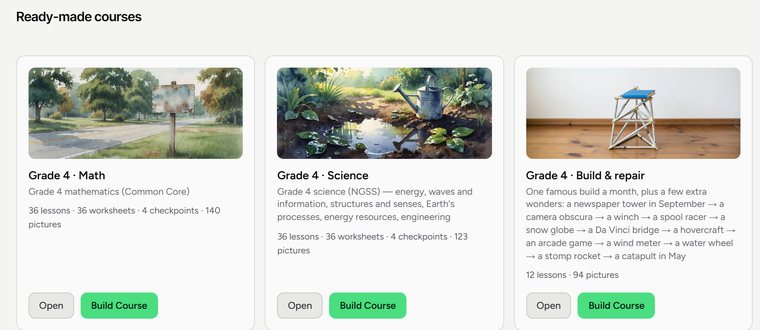
The Lesson Library
Lessons ready when you are.
Math and Science, Kindergarten to Grade 12: a lesson and a worksheet each week, 900+ in all. Open a grade, read it and teach it today, or add the whole course to a child’s year in one step for 10 credits.
Lessons are AI-written and AI-illustrated.
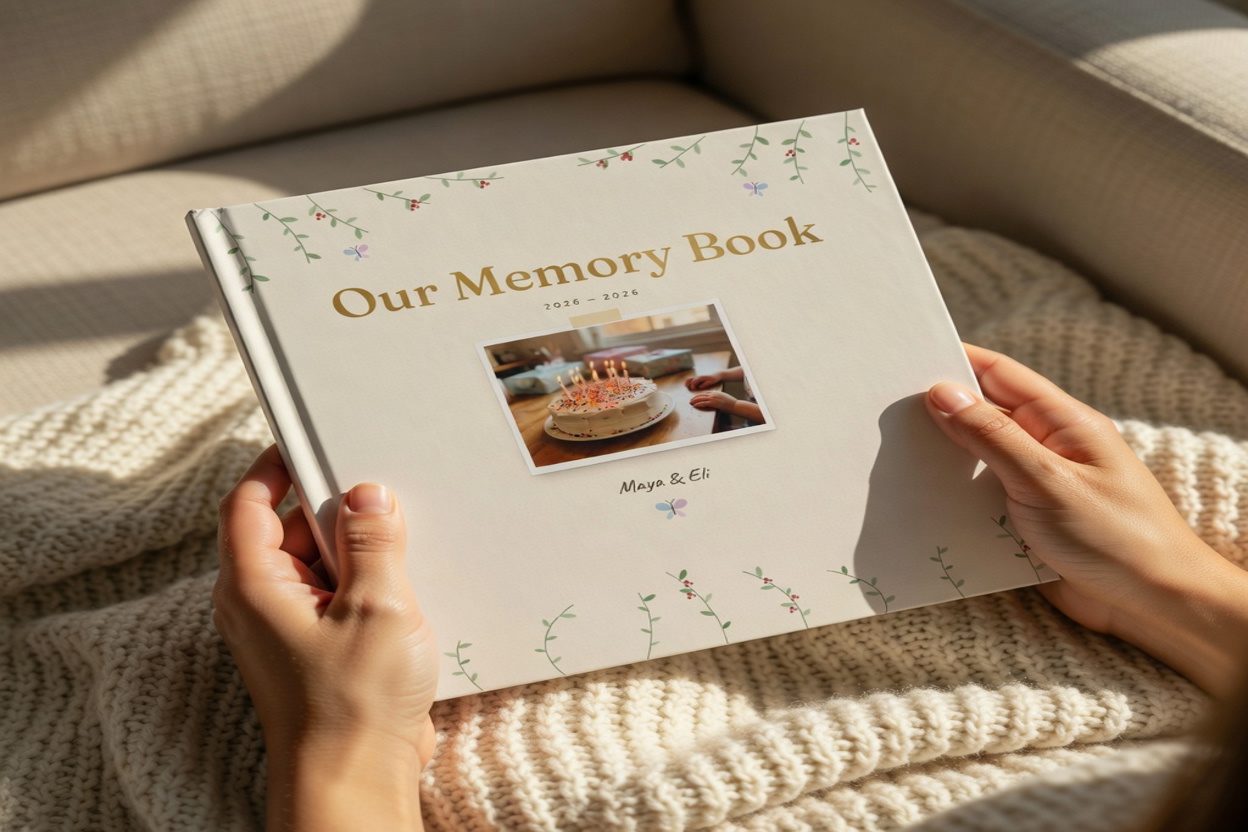
We don’t print or ship books; you choose the printer. Album pictured is a rendering.
The keepsake side
And the memories, too.
A Memory Book, from the same logs
Nothing new to type. The year you already logged becomes a scrapbook, ready to export as a print-ready book.
A storybook about your child
A page every week, written from what you log, with their own words quoted. Included with Standard and Pro.
Storybook stories are AI-written from your logs.
Screens and photos show a sample family.
Instant Grader
Wake up to a graded stack.
Exams, essays, lab reports, problem sets. The pile that used to take your evening gets a first pass while you’re at dinner.

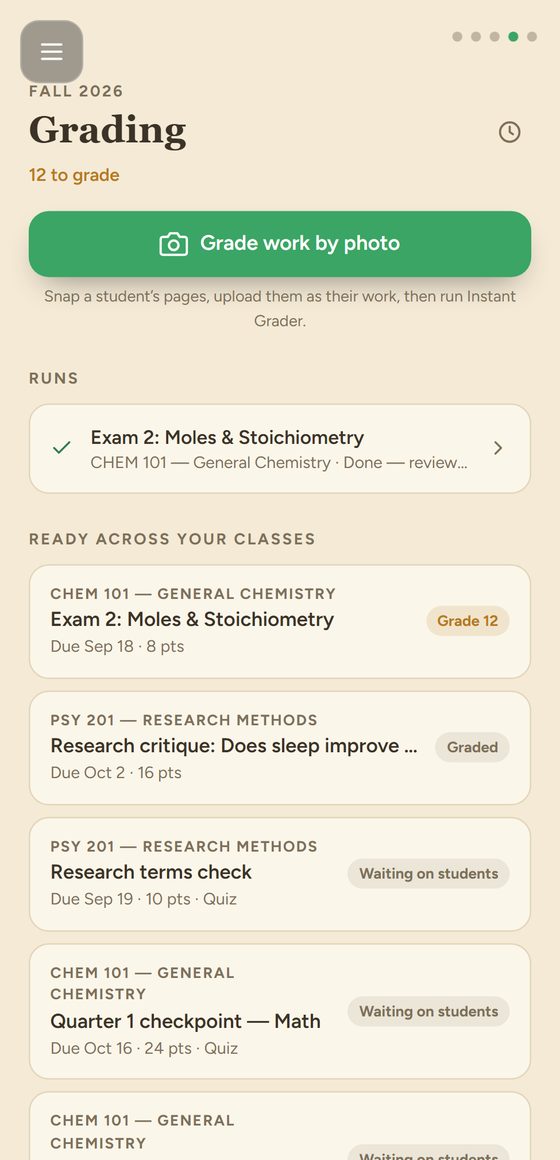
from your phone
- Bring in the stack. Photograph handwritten pages with your phone, or upload typed files.
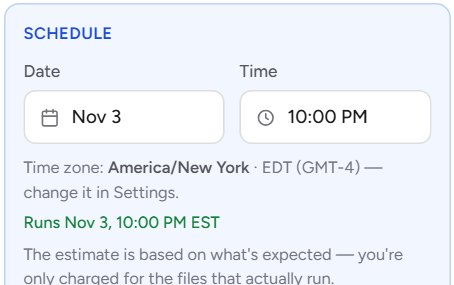
- Press Run, or schedule it. Tonight at ten, or the moment the work is due.
- Close the laptop. It runs on its own. Go live your evening.
- Wake up to drafts. A grade and feedback for every student, ready to review.
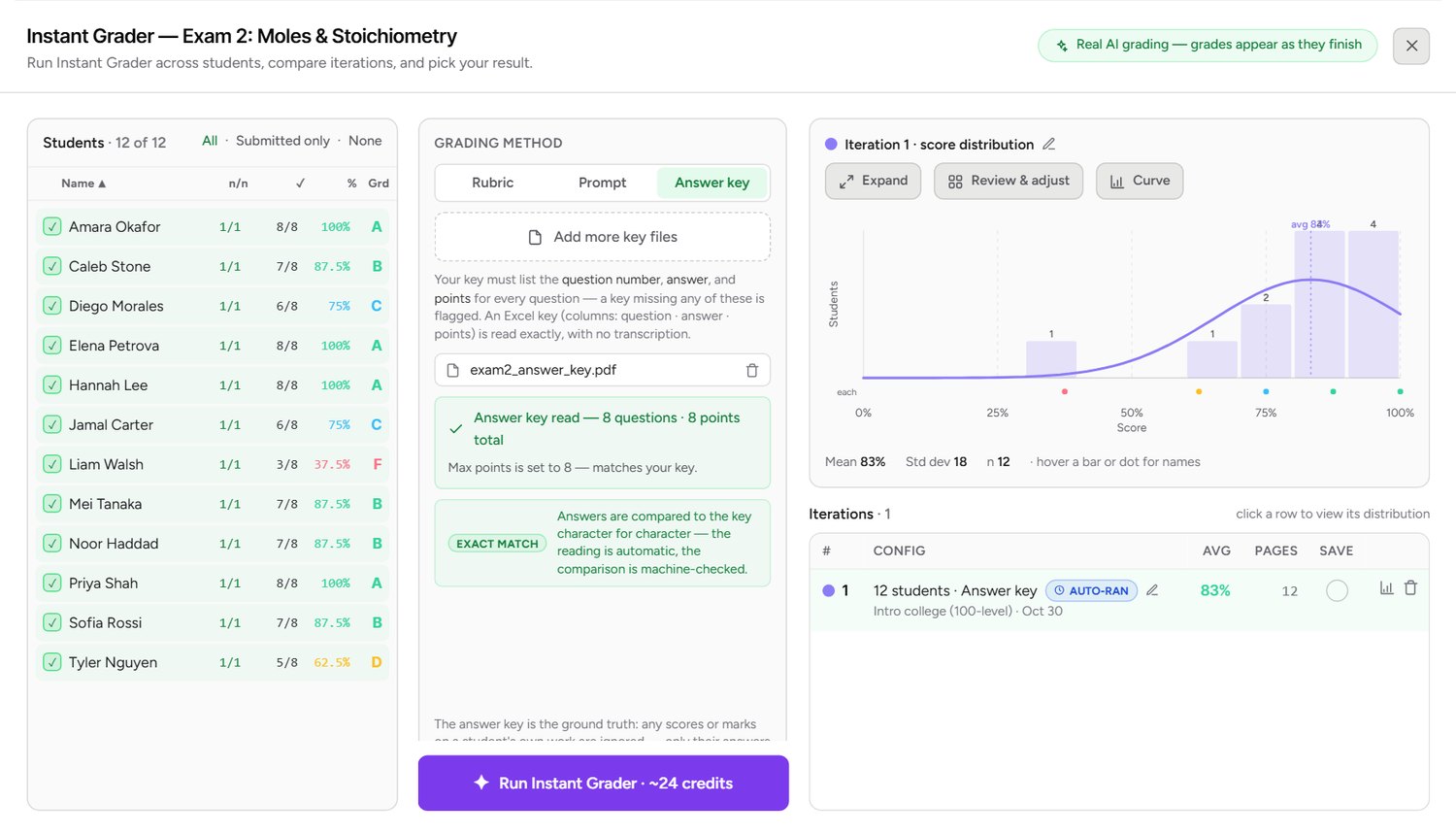
We timed it
A whole class in seconds.
12 seconds
12 handwritten chemistry exams, read and marked against the answer key.
14 seconds
6 typed research critiques, graded against a four-part rubric.
Timed on one sample class, first paper to last. Bigger classes and longer papers take longer.
You stay the teacher
Every grade stays yours.
The AI drafts. You review, adjust and release.
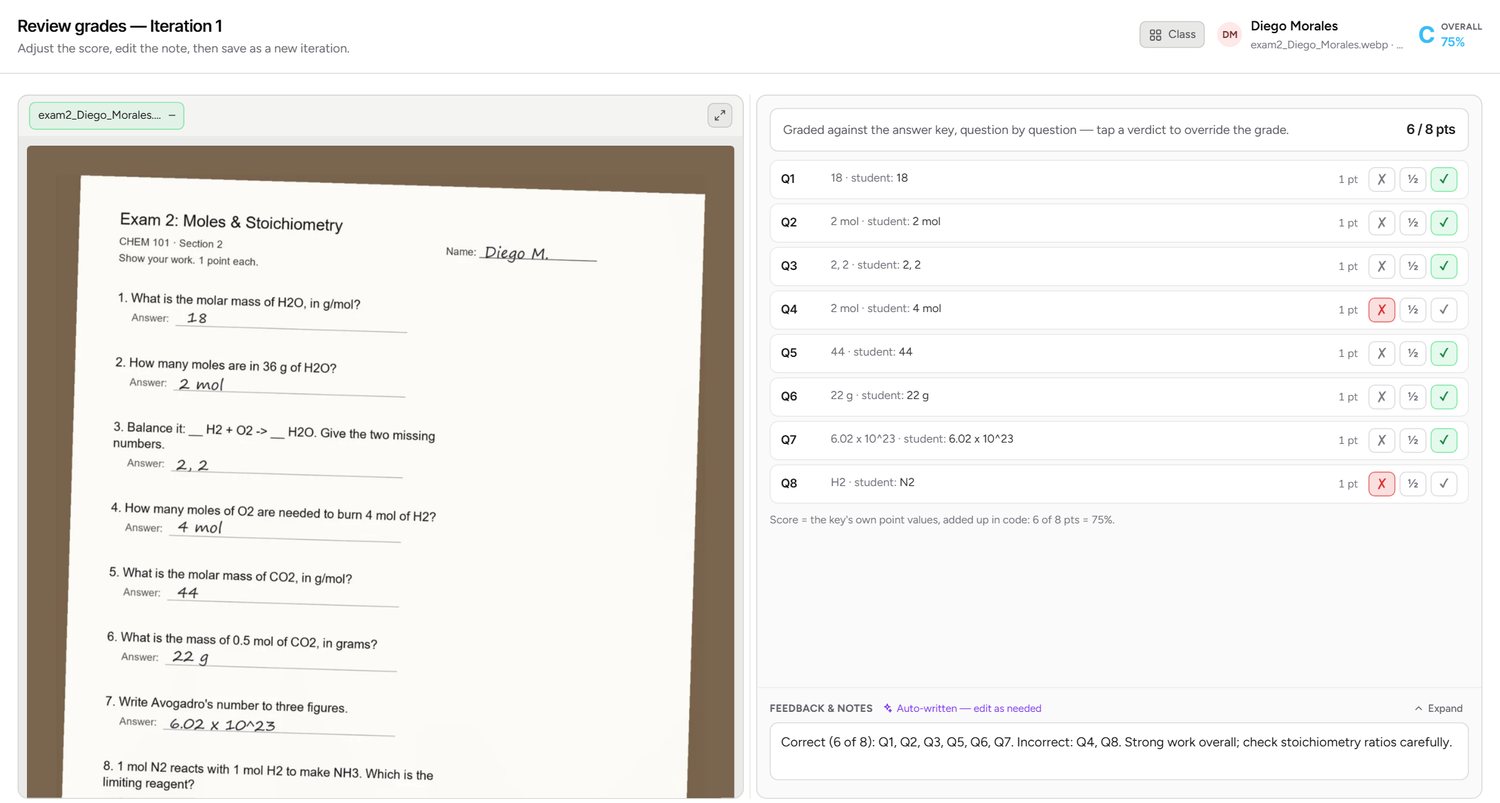
Handwriting, beside every verdict
The student’s own page sits next to each answer. One tap changes any of them.
Your answer key
Marked against the key you uploaded, with the points added up exactly.
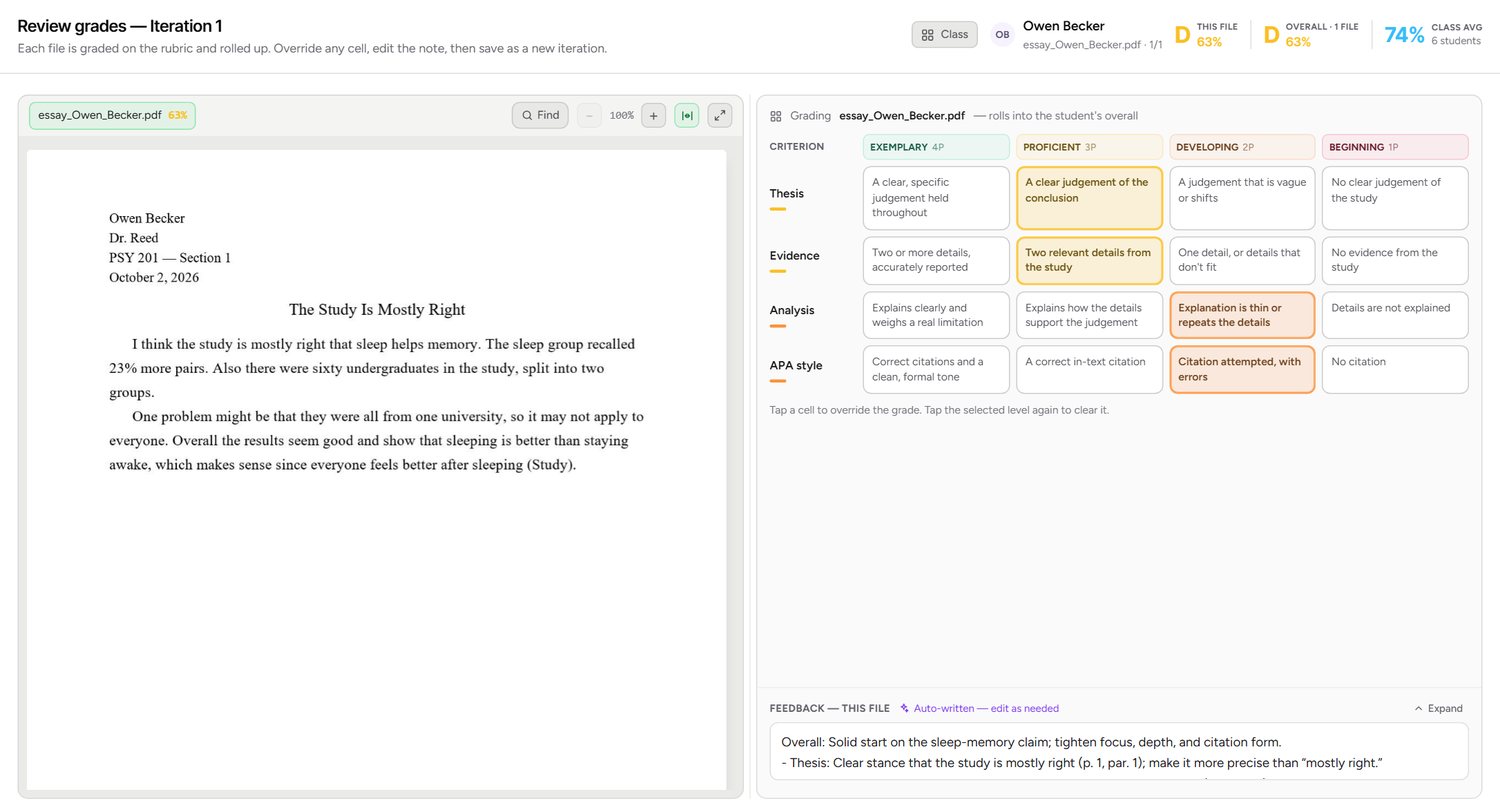
Your rubric
Your criteria, your levels, your points. Tap a cell to override it.
Feedback you can edit
Written for each student, ready to change. On typed work, annotations highlight it on the student’s own pages.
Curve it, then release it
A curve never overwrites the original, and nothing reaches a student until you say so.
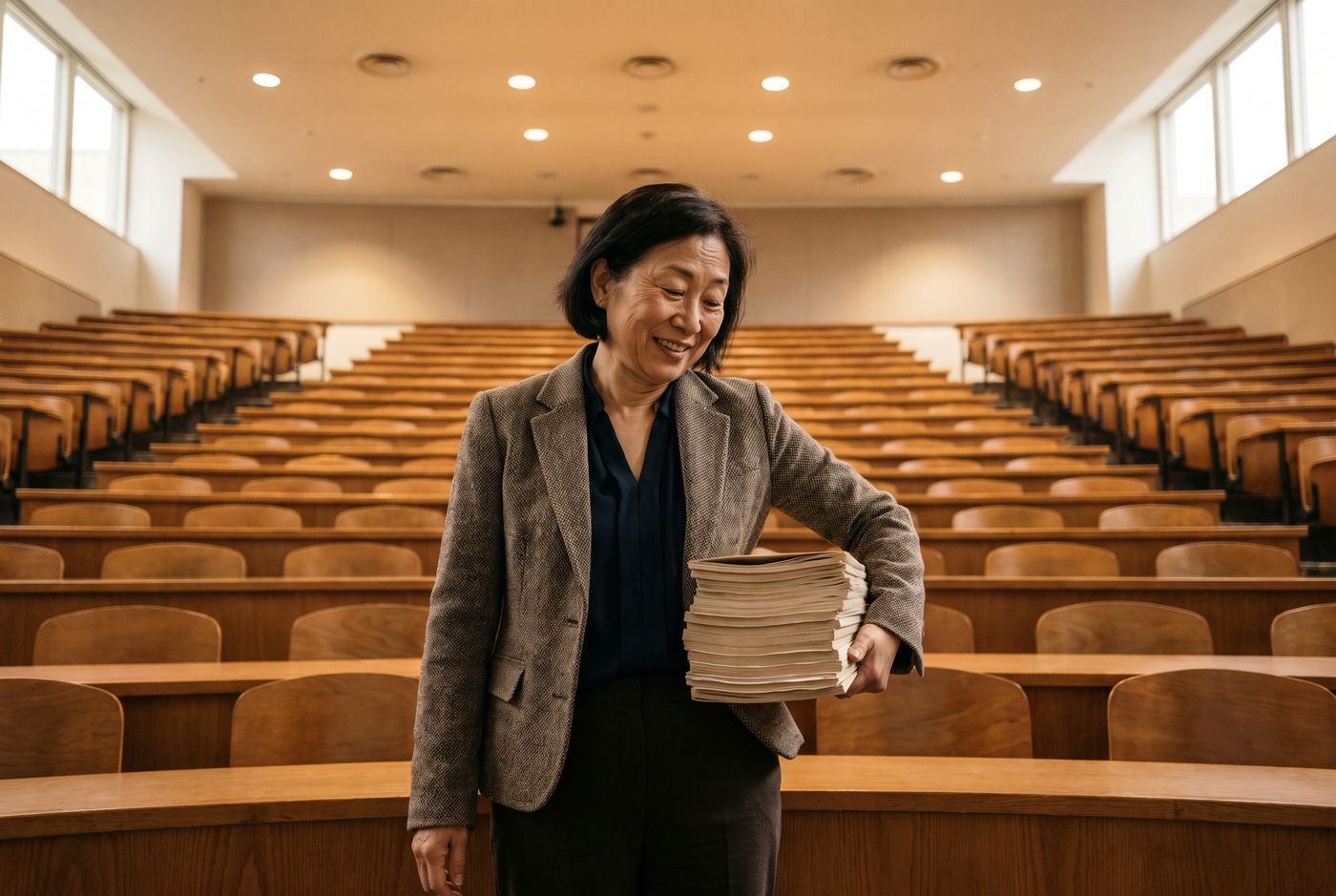
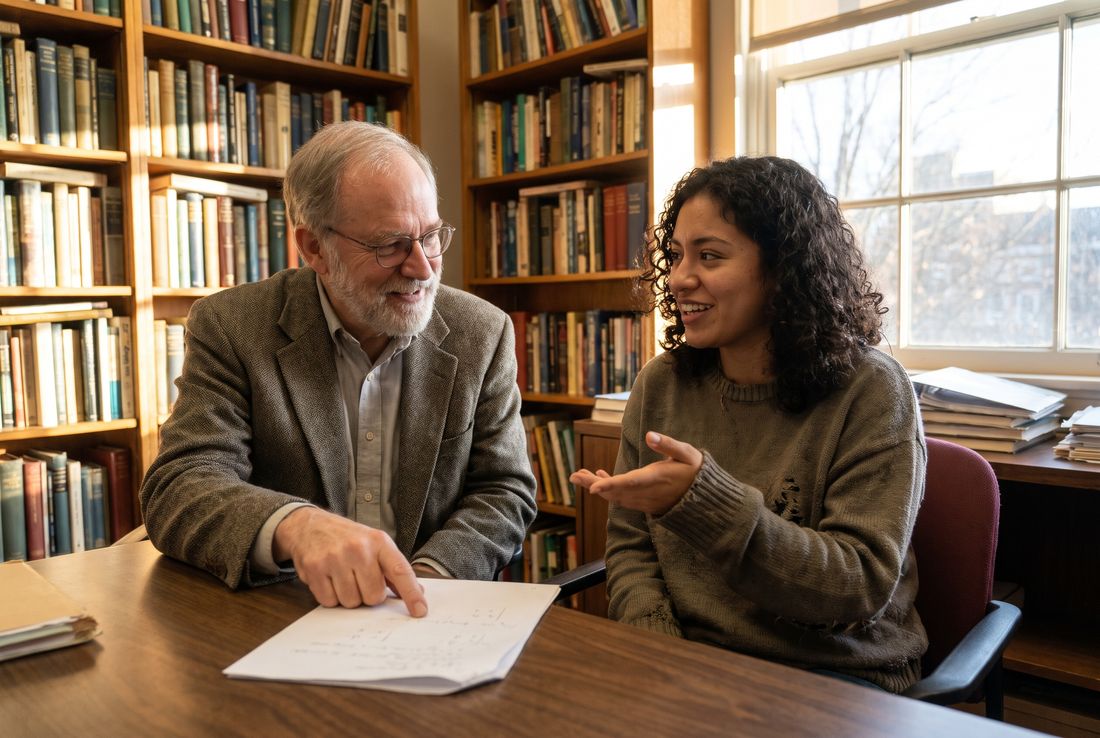
More time for the student in front of you.
From a seminar to a lecture hall
The same rubric on the first paper and the last.
Rubric Repeatability
An RR% score shows how consistently a rubric grades the same work, and where its wording wavers, before you rely on it.
Every run is kept
Compare runs side by side. A change or a curve is a new version, and the original stays.
Works with your LMS
Bring in a Canvas submissions ZIP, and take a course out as a cartridge for Canvas or another LMS.
Blind mode
Hides student names while you grade.
RR% measures consistency, not accuracy.
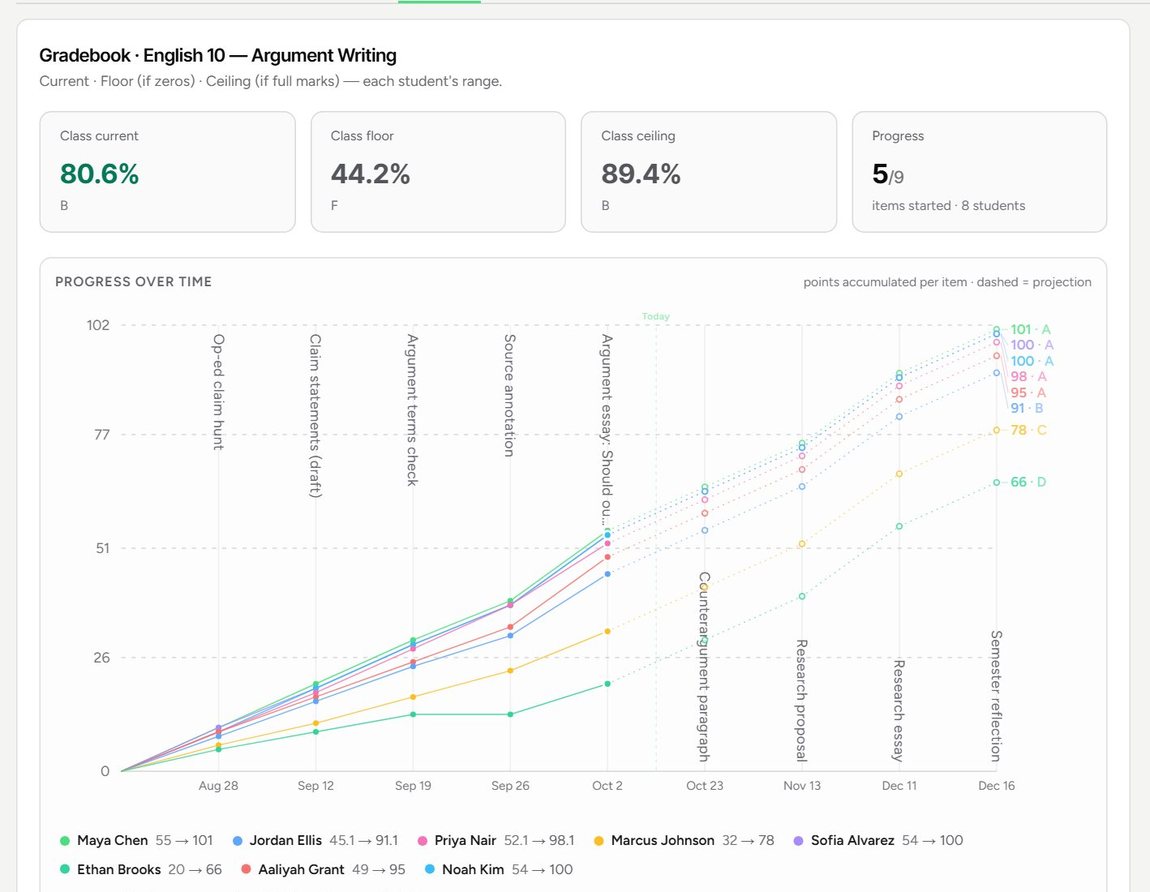
The rest of the job
Every grade in one place.
Gradebook and report cards
Each student’s current grade, their floor and ceiling, and where they’re headed, with PDF report cards.
Any course, any grade
Plan by the month, week or day, build pages, quizzes and worksheets on demand, or start from 900+ ready-made K–12 lessons.
Class Profiles
Teaching memory for each class that outlives the school year, with no student names in it.
Take your evenings back.
Screens show sample classes. Photos are samples too.
They are all heading to their north star.
Set the star — college-ready, a trade, a life that fits — and every path finds its way there. And one sophisticated toolkit spans the whole way — advanced enough to plan and run a graduate-level course, simple enough for a toddler’s afternoon — for every family, every homeschool and every educator. However you guide, and whoever you guide, the direction is the same.
Set the star — college-ready, a trade, a life that fits — and every path finds its way there. One toolkit spans the whole way, from a toddler’s afternoon to the story behind a college application, and the record it keeps belongs to your family. However you guide, the direction is the same.
Set the star — college-ready, a trade, a life that fits — and every path finds its way there. One toolkit spans the whole way, from a toddler’s afternoon to a college application, and the record it keeps holds up and belongs to your family. However you guide, the direction is the same.
Set the star for a class — a course that runs itself by Friday, a stack graded before lunch, every grade still yours — and one toolkit spans the whole way, from a pre-K rug to a graduate seminar. However you teach, the direction is the same.